


Key Takeaways
- 70-80% of enterprise data is inactive within 90 days but most of it stays in production, inflating licensing, storage, and maintenance costs
- Archiving is not backup. It is not native retention either. Both are compliance placeholders for most regulatory frameworks
- True archiving requires WORM immutability at ingestion, not access control layered on top of mutable storage
- SAP, Oracle, and cloud ERP migrations are where archiving delivers the most immediate ROI: 30-60% HANA footprint reduction and full legacy platform decommissioning
- The global compliance map spans SOX, HIPAA, GDPR, MiFID II, DPDPA, and a dozen more. Retention periods range from 6 to 25+ years
- An archive that cannot produce a forensically defensible chain of custody is a storage system, not a compliance solution
The invoice arrived every month without fail. Twelve thousand dollars. Same amount. Same system.
A legacy ERP platform that the business had quietly stopped using two years ago, after the new system went live, and everyone moved on. The data inside it was the only reason the license was still being renewed. Seventeen years of transaction records, inventory movements, and supplier contracts that nobody accessed day to day, but that legal and compliance insisted could not be deleted.
The IT manager responsible for it had a name for it internally. The museum. A perfectly preserved, fully licensed, completely unnecessary system running in production because nobody had made the call to deal with the data.
It was not the only one. Across the same organization, three other legacy platforms sat in similar states: post-migration, post-relevance, but very much still on the monthly bill. Together they represented just over sixty thousand dollars a month in license and infrastructure costs. Not because anyone needed them. Because the data inside them had no other home, slowly accumulating data debt that continued to grow unnoticed.
This is the conversation Archon has most often with enterprise IT and finance teams. The quieter, more persistent problem of data that has outgrown its original system but has nowhere to go, accumulating cost month after month while someone waits for the right moment to deal with it.
The right moment is before the next invoice arrives. The answer is data archiving: moving inactive data out of production systems, locking it securely, and keeping it accessible for compliance and audit without keeping the original system alive to do it. This guide covers everything you need to know to do it properly.
What Is Data Archiving?
Data archiving is the systematic, policy-driven process of extracting inactive or infrequently accessed data from production environments, preserving it in a secure, immutable storage or repository, and keeping it queryable and retrievable for compliance, audit, legal, or business intelligence purposes.
Three words in that definition carry real weight:
- Systematic – governed by retention policy, not ad hoc)
- Immutable – tamper-proof after ingestion, not just access-controlled)
- Queryable – accessible without re-activating the source system or restoring a backup
Archiving resolves a fundamental tension in enterprise data management. Production systems are optimized for current operations; hence, historical data slows them down, inflates storage and licensing costs, and creates security risk from unsupported or under-patched systems carrying live access credentials. But that same historical data carries legal, regulatory, and evidentiary obligations that can stretch 7, 10, or 25+ years into the future.
A properly architected archive resolves that tension. It holds data in a purpose-built, lower-cost environment that can respond to an audit request or legal hold in minutes, not the days or weeks required when data is scattered across retired systems, fragmented backups, or cold storage without an index.
Archiving vs Backup vs Native Retention – Why the Distinction Matters
Most enterprises conflate three fundamentally different capabilities. Conflating them creates compliance gaps that are only discovered during audits, litigation, or regulatory investigation, at which point the cost of discovering the gap is significantly higher than the cost of having fixed it.
| Dimension | Backup | Native Retention | True Archiving |
|---|---|---|---|
| Purpose | Recovery from system failure | Prevent deletion within source platform | Long-term governance, audit, legal hold |
| Immutability | No, snapshots overwritable | Partial, depends on platform config | Yes, WORM at ingestion, tamper-evident |
| Queryability | Low — full restore required | Limited to source-app schema | Full — cross-application, metadata-indexed |
| Legal Hold | No | Basic, typically not independently auditable | Yes, granular, documented chain of custody |
| Evidentiary Integrity | No | No | Yes, cryptographic hashes, trusted timestamps |
| Source System Dependency | Yes | Yes | No, data independent of source |
| Retention Policy Governance | Manual | App-level only | Enterprise-wide, jurisdiction-aware |
Native retention tools, including SharePoint Retention Labels, Microsoft Purview, SAP ADK, Dynamics 365 retention policies, and Workday prevents deletion. They do not provide WORM immutability, cross-application search, legal hold orchestration, or evidentiary audit trails. For many regulatory requirements, including SEC Rule 17a-4, FINRA record-keeping rules, and HIPAA audit requirements, native retention is not sufficient. It is a compliance placeholder, not a compliance solution.
Read More: Data Archiving vs Backup: Key Differences in Retention, Recovery, and Compliance.
How Does Data Archiving Work? The Seven-Stage Lifecycle
Most people understand what data archiving is supposed to achieve. Far fewer understand what it actually involves to do it properly. There is a significant difference between moving data to cheap storage and running a compliant, audit-ready archive. That difference lives in the details of how each stage is executed.
Stage 1: Data Identification
Before anything is archived, someone has to decide what qualifies. What gets identified at this stage determines the scope of everything that follows.
Data identification is the process of scanning production systems for records that are no longer actively used but still carry retention obligations. This is policy-driven and automated, based on age thresholds, access frequency, and system-specific rules.
Stage 2: Classification
Identified data is classified before it moves anywhere.
Classification assigns each record with a retention schedule, a sensitivity level, and a jurisdiction tag. A payroll record in a UK entity has different retention requirements than the same type of record held by a US subsidiary. Classification is where those distinctions get encoded into the data itself, so the archive can enforce them automatically.
Skip this step, or do it poorly, and the archive cannot tell the difference between a record that must be kept for seven years and one that can be deleted tomorrow. Once archived, organizations also need the ability to efficiently search, interpret, and analyze archived data for audits, reporting, and long-term business insights.
Stage 3: Extraction
Extraction pulls data from the source system with its structure and business context intact. This is where most DIY archiving projects fail. A flat-file export of a database table captures the data but loses the referential relationships between tables, the business logic behind field values, and the metadata that makes the record interpretable years later. Purpose-built connectors handle extraction in a way that preserves all of that context, even after the source system is decommissioned.
Stage 4: Transformation
Once extracted, data is transformed into a format suited for long-term storage and retrieval. This includes normalizing formats, enriching metadata, deduplicating records, and validating completeness. The goal is a record that can be understood and searched in ten years without access to the original application or schema documentation.
Stage 5: WORM Ingestion
This is the step that separates archiving from storage. When data is written to the archive, it is written once and locked. WORM (Write-Once, Read-Many) immutability means no user, including a system administrator, can modify or delete the record within its retention period.
At the point of data ingestion, a cryptographic hash is generated, and a trusted timestamp is applied. These two elements form the foundation of evidentiary integrity: if the record is ever challenged, the hash proves it has not been altered since it was written.
Stage 6: Policy Enforcement
The archive applies retention and legal hold policies at the record level, not just at the container level. A retention schedule runs automatically: records approaching their expiry date are flagged for authorized review before any deletion occurs. When a legal hold is triggered, it is applied with precision to specific records, custodians, or time periods, and every action is logged in an append-only audit trail.
Stage 7: Retrieval and Audit
An archive that cannot be searched is not an archive. It is a graveyard. Retrieval from a properly built archive is fast, precise, and auditable.
A compliance officer can query across multiple decommissioned systems in a single search, filter by date, entity, record type, or custodian, and export results in a format ready for regulatory submission. Every retrieval event is logged. Every export carries a chain of custody record. That is what “audit-ready” actually means in practice.

What Are the Benefits of Data Archiving?
Archiving is commonly framed as a cost-avoidance measure. That undersells it. Done well, it is also a performance lever, a compliance enabler, and the mechanism that makes modernization financially viable for organizations running legacy systems on borrowed time.
Cost Reduction (Active and Immediate)
Moving inactive data out of production storage delivers near-immediate savings. Key areas where cost drops:
- HANA memory footprint: 30-60% reduction after archiving historical ECC data
- Oracle and SQL Server licensing: costs tied to database size follow the same pattern
- Legacy system infrastructure: maintenance and license costs eliminated once data is safely archived
Better Production System Performance
Database performance degrades in direct proportion to data volume. Archiving inactive records delivers:
- Faster query response times across the production environment
- Reduced index maintenance overhead
- Smaller backup windows for production systems
- In SAP environments specifically, smaller system refreshes, faster upgrade cycles, and reduced downtime during platform migrations
Compliance Without Keeping Systems Alive
Regulatory retention mandates are long. Records must be preserved for:
- 7 years under SOX
- 5-10 years for MiFID II financial communications
- 6 years minimum under HIPAA, with state laws frequently extending this
- 25-plus years for certain healthcare records
Keeping production systems running to satisfy those mandates is expensive and operationally unnecessary. A compliant archive replaces the source system as the record of reference for historical data, eliminating license, infrastructure, and maintenance costs while improving compliance posture.
Audit Readiness in Minutes, Not Weeks
The cost of a slow regulatory response is not just the potential fine. It includes:
- Internal resource time pulled from core operations
- External legal and advisory fees
- Business disruption during the retrieval period
- Reputational damage with the regulator
Organizations with a properly indexed, cross-application archive retrieve specific records, filter by legal entity or time period, and export an auditable chain of custody in minutes. Organizations relying on fragmented legacy systems typically cannot say the same.
Clean Application Decommissioning
The single largest driver of unnecessary IT spend in enterprise organizations is legacy systems kept running not because anyone uses them, but because the data inside them cannot safely be moved. Archiving breaks that dependency. Once historical data is ingested, indexed, and made independently accessible:
- Licenses are cancelled
- Infrastructure is decommissioned
- Vendor contracts are terminated
- IT headcount tied to legacy maintenance is freed
When Enterprises Need Strategic Archiving: Key Use Cases
SAP ECC to S/4HANA Migration
HANA’s in-memory architecture makes it expensive to carry historical ECC data into a new environment. The standard answer is to archive ECC historical data before migration, reduce the database footprint, and retire ECC cleanly. This is straightforward in principle and complex in execution without a platform that preserves SAP referential integrity, table relationships, and business context across the archive. Getting this wrong means migration scope bloat, higher HANA licensing, and an ECC instance that cannot be switched off.
Running ECC? See how much you could reduce your HANA footprint before migration.
Our SAP archiving specialists have worked through this with organizations across manufacturing, finance, and retail.
HR and Payroll System Transitions
Workday, ADP, and Oracle HCM transitions leave years of payroll history in PeopleSoft, legacy ADP, or predecessor HRIS platforms. Labour law in most jurisdictions requires payroll records to be retained for 7-10 years. Keeping legacy HR platforms alive to satisfy those retention windows is common, expensive, and avoidable. A proper archive preserves the full payroll record set: transaction history, leave records, and benefits data, independently of the legacy platform.
Healthcare EHR Transitions and EDW Offload
Epic migrations from legacy EHR platforms leave clinical record archives that must remain accessible for patient care continuity and HIPAA compliance. Enterprise data warehouses accumulate historical clinical and operational data at a rate that consistently outpaces budget. Healthcare archiving provides structured offload from both, with HIPAA-compliant access controls, audit logs, and fast retrieval for patient data requests or CMS audits.
M&A Integration and System Consolidation
Post-acquisition integration routinely generates a backlog of redundant applications carrying overlapping data from two or more entities. Archiving provides the mechanism to consolidate historical records from multiple systems into a single governed repository, enabling the acquired platform landscape to be rationalized without losing access to historical transaction, customer, or compliance data.
Read More: How to Manage Data Archiving During Mergers and Acquisition
Legal Hold and E-Discovery
When litigation or regulatory investigation triggers a legal hold, the ability to apply that hold granularly to specific custodians, data sets, or time periods, while preserving a documented chain of custody, is a direct function of archive capability. Native retention systems typically cannot do this with the precision or auditability required in a legal context. An archive built for legal hold produces a forensically defensible record. A retention label does not.

What Are the Types of Data and How to Archive Them Effectively?
Not all data is archived the same way. The archiving method must match the data type or business context, referential integrity, and searchability are lost.
Structured Data
Structured data follows strict rules. It lives in rows, columns, and tables across databases and enterprise applications such as SQL Server, PostgreSQL, Oracle, and older AS/400 systems. Archiving structured data requires preserving referential integrity, including:
- Referential integrity between related tables
- Parent-child dependencies across linked records
- Business logic dependencies that define how records relate
Archiving structured data without losing this context requires:
- Database archiving tools that preserve metadata, indexes, and relationships
- Data partitioning that moves inactive partitions to lower-cost storage tiers
- Indexed archives that maintain search and query capability post-migration
- Data integrity validation to ensure audit and compliance readiness
Example: During SAP archiving, structured records must be preserved with complete referential integrity.

Unstructured Data
Unstructured data does not conform to a rigid schema. It includes documents, spreadsheets, PDFs, images, emails, multimedia files, and social media content. Without proper tagging at ingestion, it becomes unsearchable and unusable for compliance purposes.
Archiving unstructured data effectively requires:
- Metadata tagging for categorization and fast retrieval
- Content management systems or object storage with automated lifecycle policies
- Data compression for large files and deduplication to reduce storage costs
- Encryption for sensitive files to meet security and compliance standards
Example: SharePoint archiving, Email archiving and Microsoft Teams archiving to streamline document storage and retrieval in enterprise environments
Semi-Structured Data
Semi-structured data has some internal organization but does not conform to a rigid schema. Formats like XML, JSON, CSV, and EDI fall into this category. Metadata and semantic tagging are what make this data manageable and useful for business insights over time.
- Schema-aware parsing tools preserve relationships and structure during archiving
- Semantic tagging improves retrieval accuracy over the long term
- Automated data validation ensures records remain usable for compliance and audit
Hybrid Data
Many compliance-critical records combine structured transaction data with unstructured attachments: a financial agreement document linked to a transaction record, or a clinical note attached to an EHR encounter. Archiving must preserve the contextual link between structured and unstructured components, not just store them separately with no relationship between them.
Live Data
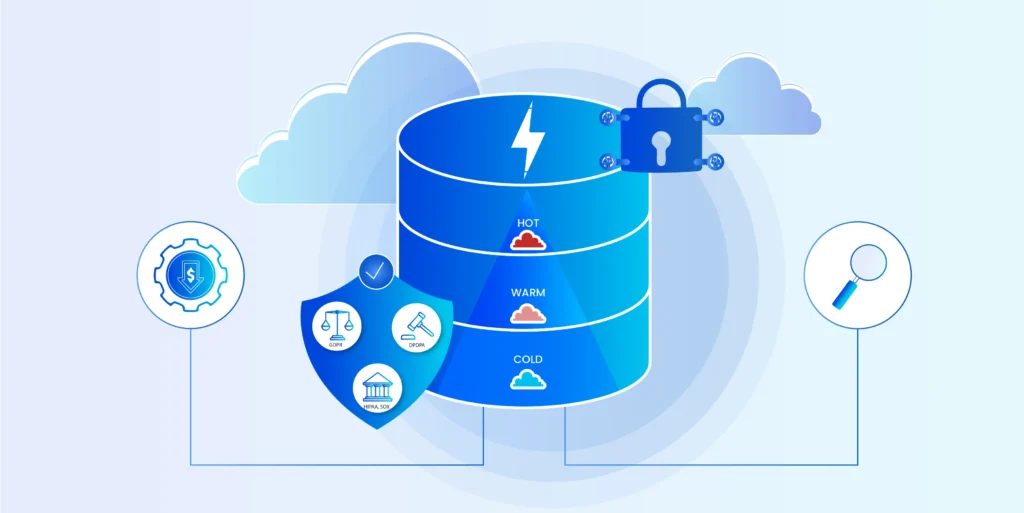
Active but infrequently accessed data, such as recent financial quarters, active-contract documents, or current-year payroll, can be moved to warm-tier archive storage while remaining immediately accessible. This is operationally distinct from cold archival of fully inactive historical data and requires different SLA commitments on retrieval latency.
Legacy/Historical Data
Historical data from retired or retiring systems where the source application is no longer operational. The challenge is preserving business context without the source application’s schema, which requires platform-aware extraction before decommissioning. This is not recoverable after the fact.
The Archive (Archiving the Archive)
The legacy archive platforms from older vendors accumulate proprietary formats, coupled compute-storage architectures, and egress cost structures that make them expensive to scale and difficult to exit.
When archives grow unmanageable, or when existing archive platforms no longer meet evidentiary or regulatory requirements, they must themselves be migrated and consolidated. A Lakehouse-based archive with open tables and Apache parquet formats avoids the proprietary lock-in that makes this necessary in the first place and provides a certified migration path for organizations already carrying stranded archive estates.
What Are Effective Data Archiving Strategies?
Archiving strategy is not one-size-fits-all. Four distinct approaches exist, and the right one depends on the trigger, the data estate, and the regulatory profile of the organization.
Active (Ongoing Policy-Driven) Archiving
Continuous, automated extraction of data from production systems as it ages beyond defined thresholds. Keeps production systems lean and compliance current without batch-migration projects. The most cost-efficient operating model for organizations with stable application landscapes.
Application Decommissioning Archival
Triggered by a platform retirement decision. Extract, validate, index, and archive all historical records before application decommissioning. Source system shutdown follows. The most common trigger for archiving projects in large enterprises, and the one with the most immediate and quantifiable ROI.
Migration-Aligned Archival
Executed as part of a major platform migration, whether SAP S/4HANA, an EHR transition, or a cloud ERP move. Archive historical data before migration to reduce migration scope, HANA footprint, licensing cost, and risk. For large SAP cloud migrations, it is a financial necessity.
Compliance-Driven Archival
Triggered by a regulatory audit, investigation, or legal hold. Reactive, expensive, and disruptive. This is the archiving strategy that organizations end up using when they fail to plan one of the first three. It is still subject to the same technical requirements: immutability, chain of custody, and granular retrieval. But it happens under time pressure with no opportunity to fix data quality issues first.
How to Choose Between Cloud, On-Prem, and Hybrid Archiving?
A deployment model is a governance decision, not a technology preference. Three variables drive it: data sovereignty requirements, regulatory mandates on data residency, and the organization’s risk appetite for cloud-held sensitive data.
| Dimension | Cloud Archiving | On-Premises Archiving | Hybrid Archiving |
|---|---|---|---|
| Deployment model | Managed via cloud provider infrastructure | Hosted within the organization’s own data centre | Cloud and on-prem running as a single governed environment |
| Scalability | ✓ Elastic, consumption-based | ✗ Constrained by physical capacity | ◑ Cloud scales; on-prem stays fixed |
| Data residency | ◑ Depends on provider region and configuration | ✓ Full control, data never leaves premises | ✓ Sensitive data on-prem, rest in cloud |
| Regulatory compliance | ◑ Possible but requires careful configuration | ✓ Meets most sovereignty mandates | ✓ Flexible enough to meet mixed-jurisdiction needs |
| Infrastructure overhead | ✓ Low: provider managed | ✗ High: internal team manages hardware and maintenance | ◑ Reduced but not eliminated |
| Cost model | Pay-as-you-grow, lower upfront cost | Higher upfront capital, lower long-term operational cost | Mixed: cloud opex plus on-prem capex |
| Retrieval speed | Fast for warm tier, variable for cold tier | Consistent, no egress latency | Depends on where data is tiered |
| Security posture | Dependent on provider controls and shared responsibility model | Full internal control over security stack | Split responsibility: internal for on-prem, shared for cloud |
| When to use | Distributed global operations, rapidly growing data volumes, no hard data residency mandate | Strict data sovereignty requirements, regulated or defense-adjacent industries, high sensitivity data | Mixed jurisdiction estate, some regulated data and some not, organizations needing flexibility without a single deployment bet |
Why Industry-Specific Archiving Requirements Matter
Archiving architecture that works for a manufacturing conglomerate is not the same architecture that works for a financial services firm. Industry-specific requirements drive both what must be archived and how it must be held.
Financial Services and Banking
SEC Rule 17a-4, FINRA record-keeping rules, MiFID II, and SAMA regulations require broker-dealer communications and transaction records to be held in WORM-immutable storage, remain searchable, and be producible on regulatory demand. Native retention within trading platforms does not satisfy this. A purpose-built, compliance-certified archive does.
Healthcare
HIPAA requires patient records to be retained for 6 years from creation, or 6 years after the date the record was last in effect, whichever is later. State laws frequently extend this. Clinical records must remain accessible for patient care continuity, audit, and CMS inspection. Archiving must be HIPAA-compliant, with:
- Access controls and audit logs on every retrieval
- Breach notification capabilities built into the platform
- Business associate agreements with archive platform vendors
Manufacturing and Retail
Archiving in operational sectors primarily serves production system performance, supply chain analytics, and ERP decommissioning. Historical demand, production, and procurement data that burdened active ERP systems can be moved to queryable archive storage and used for trend analysis and business intelligence without constraining current operations.
Government and Public Sector
Public records requirements, freedom of information mandates, and audit obligations create retention requirements that span decades for certain record types. Government archiving must also address data sovereignty. Records held in foreign cloud infrastructure may conflict with national data governance frameworks.
What Is a Data Archiving Policy and Why Does It Matter for Compliance?
A data archiving policy is the governance framework that specifies what data is archived, when, how, by whom, and for how long. Without it, archiving is infrastructure, not compliance.
Three components make a policy defensible:
- A retention schedule aligned to jurisdiction and record type
- An access governance framework that documents who can retrieve, view, or export archived data
- A deletion authorization process that ensures data is not silently auto deleted at retention expiry, but formally reviewed, authorized, and logged
Regulators have become significantly more sophisticated about reviewing the governance behind an archive, not just its existence. Producing a 7-year-old financial record is table stakes. Demonstrating that no one altered it, that access was logged throughout, and that deletion decisions were authorized is what separates compliant archiving from data warehousing with a long retention window.
The Global Compliance Map: What Archiving Mandates Actually Require
Retention mandates vary significantly by jurisdiction, industry, and record type. The table below maps the major frameworks that directly affect enterprise archiving strategy.
| Regulation | Geography | Domain | Key Archiving Requirement |
|---|---|---|---|
| SOX | United States | Public companies | Financial records: 7 years. Must enable long-term audit readiness and accountability. |
| SEC Rule 17a-4 | United States | Broker-dealers | Communications and records: WORM-immutable, searchable, producible on demand. |
| FINRA Rules | United States | Financial services | Communications and transaction records reviewable long after original creation. |
| HIPAA | United States | Healthcare | Access logs, patient records, and security controls auditable over extended periods. |
| GDPR | European Union | Personal data | Demonstrable purpose limitation, controlled retention, governed access to personal data. |
| MiFID II | European Union | Financial services | Communications records: 5-10 years depending on instrument type. |
| PDPL | Saudi Arabia | Personal data | Long-term accountability for how personal data is stored, secured, and accessed. |
| SAMA Regulations | Saudi Arabia | Banking / finance | Provable historical compliance and strong guarantees of record integrity. |
| PDPA | Southeast Asia | Personal data | Historical records to justify past data processing and compliance decisions. |
| APPI | Japan | Personal data | Archived data must support regulatory assessments and audit inquiries years after creation. |
| DIFC Data Protection Law | DIFC, UAE | Regulated entities | Secure, traceable, and auditable access to regulated data is mandatory. |
| DPDPA | India | Personal data | Demonstrable lawful collection, retention reasons, and defensible deletion decisions. |
| Companies Act (Sec 128) | India | All companies | Books of account: maintained for 8 years minimum from financial year end. |
| CCPA / CPRA | California, United States | Personal data | Auditable records of consumer requests, controlled retention, and governed access to personal information. |
| Dodd-Frank Act | United States | Banking / financial services | Communications and transaction records searchable, reproducible, and available for regulatory review and trade reconstruction. |
See how ADS handles your source systems and compliance requirements
Bring your specific use case: SAP decommissioning, payroll transition, EHR migration, or legacy archive replacement. Our team will walk through the technical fit.
Data Archiving ROI: The Business Case in Numbers
Archiving is regularly under-invested because its cost savings are distributed across multiple budget lines: licensing, infrastructure, IT headcount, legal, and compliance. The investment sits on a single line item. That gap is where archiving value is most consistently underestimated.
Most organizations price only the storage saving. Primary storage is more expensive than archive-tier storage, and that delta is real. But storage arbitrage is not the inflection point. The inflection point is full application decommissioning, and the two are not the same thing.
The zombie application problem
The most expensive archiving failure is not a failed migration. It is a successful one that stops short of retirement. Data moves to the archive. The source application stays running because the archive cannot serve compliance queries, legal holds, or audit requests independently. The organization is now paying for both the archive platform and the legacy system it was supposed to replace. The application delivers no active business value. The license renews anyway.
Avoiding this outcome requires an archive platform capable of functioning as a governed, independent access layer for retained data. That is the condition that makes full decommissioning achievable.
The six cost categories most ROI models miss
A complete legacy TCO baseline spans more than just license and storage cost:
- Infrastructure: Compute, storage, network, and hosting, compounding annually for systems with growing data volumes
- Licensing and vendor support: End-of-standard-support triggers extended maintenance premiums that escalate with every renewal cycle
- IT staffing: Legacy platforms require increasingly scarce specialist skills. When institutional knowledge leaves, contractor arrangements follow
- Compliance and audit overhead: Manual data extraction and retrieval from production legacy systems is time-intensive and scales with audit frequency
- Security risk: Systems without standard security patches require compensating controls that generate ongoing operational overhead without eliminating the underlying exposure
- Opportunity cost: Capital and headcount tied to non-strategic legacy systems is unavailable for AI, cloud modernization, or security investment
What the numbers look like when the full picture is priced:
| Value Lever | Typical Impact |
|---|---|
| HANA memory footprint reduction (post-archive) | 30–60% reduction in HANA memory tier requirement |
| Legacy system license elimination (per decommissioned platform) | £200K–£2M+ three-year saving depending on platform and vendor |
| Storage cost reduction (hot to cold tier) | 70–85% cost reduction per TB |
| Audit response time | Days/weeks to minutes — reducing internal and external legal cost |
| GDPR maximum fine avoided | €20M or 4% of global annual revenue — whichever is higher |
| HIPAA penalty range avoided | USD $100 to $50,000 per violation, up to $1.9M per category per year |
| IT headcount freed from legacy maintenance | 20–40% of enterprise infrastructure capacity in multi-platform estates |
| Application decommissioning project ROI (5+ platforms) | Typically, £2M–£8M in 3-year savings after archive investment |
A single legacy ERP decommissioning project typically delivers 500K to 2M GBP in three-year savings across license, infrastructure, and maintenance. For organizations running five or more legacy platforms, the cumulative case is material and measurable.

Find out what your legacy systems are actually costing you.
Model your license, infrastructure, and maintenance savings with the Archon ROI Assessment.
How to Evaluate a Data Archiving Solution
Most archiving tools in the market fall into one of four buckets. Understanding the category tells you what the platform was built to do and where it will fail under enterprise compliance scrutiny.

Understanding the Solution Categories
| Category | Examples | What They Do | Where They Fall Short |
|---|---|---|---|
| Legacy archive platforms | OpenText InfoArchive, Solix, Archive360, Rocket Software | Structured archiving, compliance features, application decommissioning | Proprietary formats, database-centric, expensive to scale, poor Lakehouse/open-format integration |
| Native retention features | Microsoft Purview, SharePoint Retention, SAP ADK, Dynamics 365 policies, Workday data retention | Prevent deletion within source platform; satisfy basic policy | Not WORM-compliant, no cross-app search, source-app dependent, no chain of custody for legal hold |
| Analytics / data platforms | Snowflake, Databricks, Cloudera | Cheap long-term storage and analytics capability | No WORM, no legal hold, no retention policy enforcement — not architected for compliance |
| Purpose-built enterprise archive | Archon Data Store | Full archiving lifecycle: ingest, WORM-immutable store, retention enforcement, legal hold, cross-application search, analytics | — |
See our full comparison of enterprise data archiving platforms: 10 Best Data Archiving Solutions & Software in 2026
Immutability Model: The First Question to Ask
Is WORM enforced at ingestion, or applied after the fact? Can any user, including a system administrator, modify or delete a record within its retention period? A compliant archive answers no to both. Immutability that can be overridden by the right credentials is access control, not immutability. The distinction matters in court.
Evidentiary Integrity
Does the platform generate cryptographic hashes at ingestion? Are trusted timestamps applied? Is there notarization or ledger-anchoring capability for records with evidentiary significance? These are not edge-case requirements. They are table stakes for SEC, FINRA, and HIPAA compliance.
Retention Policy Governance
Can retention schedules be applied at the record level, not just at the folder or container level? Can multiple jurisdictions’ requirements be enforced simultaneously on the same data set? An organization operating across the EU, the US, and Southeast Asia has three different retention schedules for the same class of record. A platform that cannot handle multi-jurisdictional policy sets simultaneously creates manual workarounds and compliance gaps.
Legal Hold Capability
Can holds be applied granularly, documented, extended, and released through a governed workflow that produces an auditable chain of custody? ‘We applied a hold’ is not sufficient. ‘Here is the documented hold, the date it was applied, the records it covered, who authorized it, and the log of every access event since’ is.
Connector Breadth
How many source systems does the platform connect to natively? The more connectors available out of the box, the less bespoke ETL development is required per archiving project. For a platform expected to handle SAP, Oracle, HR systems, CRM, document management, email, and mainframe data, breadth of native connectivity is a material cost factor. Equally important is retrieval SLA from cold-tier storage. The difference between a retrievable archive and a compliant one is how fast you can produce what the regulator is asking for.
Deployment Flexibility
Regulated industries often require data residency guarantees that cloud-only solutions cannot provide. A platform that forces a single deployment model creates a selection problem for organizations with mixed sovereignty requirements.
What are the Data Archiving Best Practices
The difference between organizations that archive well and those that do not is rarely budget. It is operational discipline. These are the practices that separate a compliant, performing archive from an expensive storage layer.
- Classify before you archive: Retention schedule, jurisdiction, data type, and sensitivity should be determined at classification, not after ingestion. Retroactive classification is expensive and error-prone.
- Archive proactively, not reactively: Reactive archiving triggered by audit or litigation is 3-10 times more expensive than policy-driven active archiving. The time to archive is before the data is needed, not during the emergency that reveals it was not.
- Test retrieval as rigorously as ingestion: Most archive failures surface at retrieval, not at storage. Define and test retrieval SLAs, including cold-tier latency, before production deployment.
- Separate retention policy from storage tier: Data in cold storage does not have its retention policy satisfied. Policy management and storage management are distinct functions. Conflating them creates gaps.
- Document chain of custody from day one: Every access event, policy change, hold application, and deletion authorization should be logged and retained independently of the archive data itself, in an append-only audit log.
- Align deletion to defensible deletion principles: Deletion of data after retention expiry should be documented, authorized, and auditable, not automatic and silent. Regulators expect to see that a process existed.
- Plan for the archive’s own lifecycle: Archive platforms should not create the same lock-in problem they were purchased to solve. Insist on open formats, documented migration paths, and independent data portability as non-negotiable selection criteria.
Read More: 10 Data Archiving Best Practices Every Enterprise Should Follow
What Makes Archon Data Store (ADS) the Right Technical Choice?
ADS is a Lakehouse-based enterprise archive built for organizations that need to archive at scale, decommission legacy systems cleanly, and satisfy evidentiary integrity requirements that native retention features and legacy archive platforms cannot meet. Featured in the Gartner® Hype Cycle™.

Built for Archiving
Unlike analytics platforms repurposed as archives, or older archive platforms retooled for cloud deployment, ADS was designed from the ground up as an archiving platform. The architecture separates compute from storage, uses open table formats, and is purpose-built for long-term data governance. That distinction matters when the regulatory requirement outlasts the vendor’s product roadmap.
WORM Immutability and Evidentiary Integrity at Ingestion
ADS enforces Write-Once Read-Many (WORM) immutability at the point of data ingestion. Records are hash-verified, trusted timestamps are applied, and notarization or ledger-anchoring is available for contexts requiring legally defensible evidentiary integrity. Append-only logs ensure that no record of access, modification attempt, or policy change is ever overwritten. This is the architecture required for SEC Rule 17a-4, FINRA, SOX, and HIPAA compliance. It is foundational to how the platform stores data, not a compliance overlay.
Cross-Application Search and Unified Retrieval
Archived data across multiple decommissioned systems remains searchable through a single unified interface. A compliance officer does not search SAP, then HR, then document management separately. They run one search across the entire archive estate. Results are exportable in formats suitable for audit, legal, or regulatory submission, with retrieval event logging included.
Multi-Jurisdictional Retention Policy Governance
Retention schedules are applied at record level, not folder or container level, with full support for multi-jurisdictional policy sets. An organization with entities across GDPR, HIPAA, and DPDPA jurisdictions can manage all three retention frameworks in a single policy layer without manual workarounds. Legal holds are applied, documented, extended, and released through a governed workflow producing an auditable chain of custody.
Flexible Deployment (Cloud, On-Prem, and Hybrid)
ADS supports cloud, on-prem, and hybrid deployment models, including air-gapped environments for regulated organizations requiring data residency guarantees. Deployment model matches the governance and sovereignty requirements of the organization, not the other way around.
Legacy Archive Displacement
For organizations already running Solix, OpenText InfoArchive, Archive360, or similar platforms — and finding them expensive to scale, proprietary in format, or inadequate for modern evidentiary requirements — ADS provides a certified migration path. Existing archive data migrates to an open, scalable Lakehouse architecture without loss of retention metadata, legal hold state, or audit history.
See how ADS handles your source systems and compliance requirements
Bring your specific use case: SAP decommissioning, payroll transition, EHR migration, or legacy archive replacement. Our team will walk through the technical fit.


