


Key Takeaways
- Microsoft Teams data lives across six backend services; there is no single archive, no unified search, and no consistent retention.
- The “Archive Team” button freezes conversations but doesn’t free storage, exclude Copilot, or include private channels.
- Private and shared channels are not included when you archive a Team; the most sensitive conversations are the most likely to be missed
- Native Microsoft Teams archiving fails five compliance tests: immutability, chain of custody, cross-app search, channel coverage, and tenant independence.
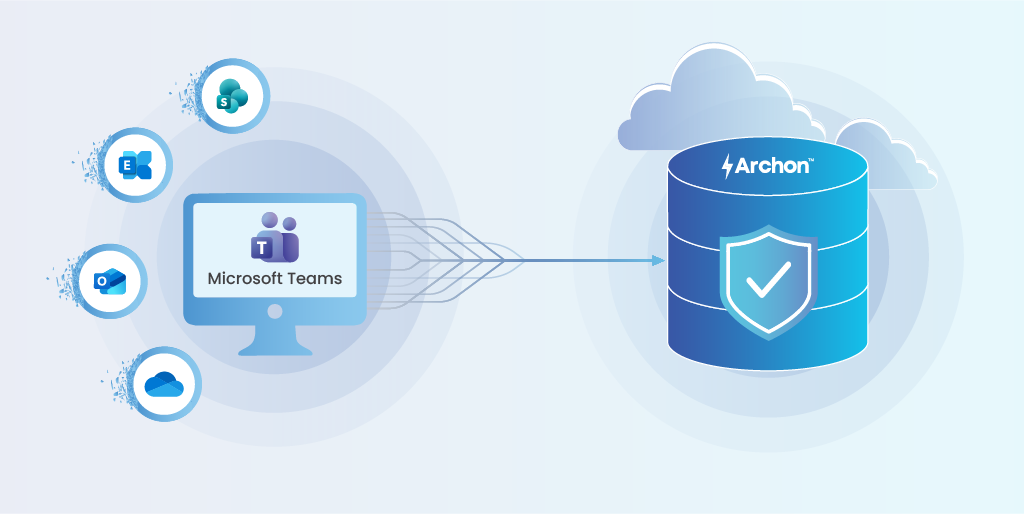
- Archon captures all Teams data types, including private channels, into a WORM-immutable, independently retrievable archive outside M365.
The Hidden Liability in Your Collaboration Stack
Microsoft Teams has quietly become the enterprise’s system of record. With over 320 million monthly active users, Teams is where contracts get debated, patient information gets referenced, trading decisions get discussed, and HR investigations unfold in real time.
Every day, your organization generates thousands of messages, files, recordings, and meeting transcripts that constitute business communications under virtually every regulatory framework in existence, such as SEC 17a-4, FINRA Rule 4511, MiFID II Article 16(6), HIPAA, FOIA, GDPR, and SOX, to name the obvious ones.
Here’s the problem: most enterprises believe they’re archiving this data. They’re not.
What they’re actually doing is running retention policies that prevent deletion within the Microsoft 365 perimeter. That’s lifecycle management, not archiving.
The distinction matters enormously when a regulator asks you to produce a complete, tamper-proof record of every Teams conversation related to a specific transaction, including the files shared, the meeting recordings referenced, and the edits made before retention kicked in.
At that point, the gaps between “we have a retention policy” and “we have a defensible archive” become very expensive.
This guide breaks down where Teams data actually lives, what native Microsoft tools can and cannot do, the structural gaps that create compliance and governance risk, and what enterprise-grade archiving actually requires.
Where Teams Data Actually Lives and Why That Matters
Before evaluating any archiving approach, you need to understand a fundamental architectural reality: Microsoft Teams does not have a single storage repository. It distributes data across multiple backend services within Microsoft 365, each with its own retention behaviour, API access pattern, and compliance exposure.
| Data Type | Storage Location | Compliance Implication |
|---|---|---|
| 1:1 and group chat messages | User Exchange mailboxes (hidden SubstrateHolds folder) | Tied to individual user lifecycle; deleted when the mailbox is purged without hold |
| Channel messages (standard) | Group mailbox (Exchange) | Tied to Team lifecycle; archived Team ≠ archived mailbox |
| Private channel messages | Separate SharePoint site collection per channel | Not included when you archive a Team; easily missed in audits |
| Shared channel messages | Separate site collection, potentially cross-tenant | Cross-tenant data creates jurisdictional complexity |
| Files shared in channels | Team’s SharePoint site document library | Versioning history can contain 500+ drafts per file |
| Files shared in chats | Sender’s OneDrive for Business | Tied to sender’s account; at risk when user is offboarded |
| Meeting recordings & transcripts | OneDrive (organizer) or SharePoint (channel meeting) | Recordings are large-format video; transcripts are AI-generated |
| Call data records | Exchange (system-generated) | Metadata for meetings and calls; included in retention scope |

What this fragmentation means in practice:
- There is no single “export everything” button for Teams data
- There is no unified search across all data types, so legal teams end up searching Exchange, SharePoint, and OneDrive separately
- There is no consistent retention enforcement mechanism, and each data type follows its own lifecycle rules
- All of this fragmented data is indexed by Microsoft 365 Copilot, including conversations you thought you’d archived.
Your Teams data is scattered across six backend services. Can you prove chain of custody for all of it?
What Most Teams Try First and Where It Breaks
Most organizations start with Microsoft’s native tools. That’s reasonable because they’re included in existing licensing, they’re familiar to IT teams, and for basic lifecycle management, they work.
The issues emerge when the organization’s archiving requirements exceed what these tools were designed to do.
Archive Team (Teams Admin Centre)
The “Archive” function in Teams Admin Centre freezes a team: no new messages, conversations become read-only. It’s useful for end-of-project cleanup. But it’s not archiving in any compliance-meaningful sense:
- Does not free storage; data stays in active storage tiers at full cost
- Does not remove data from Copilot’s index; Copilot can still surface archived Team content in responses
- Does not archive the associated SharePoint site (that’s a separate operation in the SharePoint admin centre)
- Does not include private or shared channel sites (these are separate site collections entirely)
If a Team has even one private channel, the “Archive” button creates an incomplete record.
What Microsoft Purview Does and Doesn’t
Retention policies tell M365 how long to keep or delete data. They apply to Teams channel messages, private channel messages, and chat messages as separate policy targets. They’re effective at preventing premature deletion.
But retention is not archiving:
- Retention policies do not create a copy of the data; they prevent deletion of the original
- They do not guarantee immutability (a message can be edited before the retention copy is captured)
- They operate entirely within the M365 tenant perimeter; a tenant-level compromise takes the retention data with it
- They do not provide chain of custody, there’s no tamper-evident audit trail
eDiscovery (Content Search and eDiscovery Premium)
Purview eDiscovery can search across Teams data and export results for legal review. It’s the closest Microsoft comes to an archival retrieval tool. But it has significant operational limitations:
- Export speeds capped at ~2 GB per hour
- Teams chat messages export as JSON, not readable threaded conversations
- Searches must be scoped to specific mailbox locations
- eDiscovery Premium requires E5 licensing
- It’s a retrieval tool, not an archive because there is no immutability, no chain of custody, no independent retrieval
The critical distinction: Microsoft’s native tools manage data lifecycle within the M365 perimeter. They retain data, control deletion, and enable search.
What they do not do is create an independent, immutable, legally defensible archive with a chain of custody and independent retrieval capability. That gap is where compliance risk lives.
Read More: How proper data archiving ensures secure, compliant, and audit-ready data management.
Five Structural Gaps That Turn Native “Teams Archiving” Into a Liability
These are not edge cases. They are structural limitations of native M365 tooling that affect every enterprise relying on Teams as a primary communication platform.

Gap 1: No Immutability at Ingestion
Purview retention prevents deletion, but it does not prevent modification. A user can edit a Teams message, and while the retention system eventually captures a copy, the original state is not preserved with cryptographic proof at the moment of creation.
There is no hash, no trusted timestamp, no tamper-evident seal on the original message. For regulatory frameworks that require WORM compliance (Write Once, Read Many) like SEC 17a-4, FINRA Rule 4511, MiFID II, this is a fundamental gap.
Gap 2: No Cross-Application Search
A Teams conversation about a contract might reference an email thread in Outlook, link to a document in SharePoint, attach a file from OneDrive, and include a meeting recording stored in the organizer’s OneDrive.
Searching for this complete picture requires separate eDiscovery searches across Exchange mailboxes, SharePoint sites, and OneDrive accounts.
There is no unified, cross-application search that returns the full context. Legal and compliance teams routinely spend weeks assembling a complete picture for a single matter.
Gap 3: No Chain of Custody
Microsoft operates under a shared responsibility model: Microsoft ensures service availability, but the customer is responsible for data protection and integrity.
Native M365 tools do not provide a tamper-evident audit trail of who accessed, modified, or exported archived data. There is no append-only log, no notarization, and no independent verification that the archive is complete and unaltered.
When opposing counsel challenges the completeness of your discovery production, “We had a Purview retention policy” is not a defensible answer.
Gap 4: Private and Shared Channel Fragmentation
This is the gap that catches most organizations off guard. Archiving a Team does not archive private or shared channel sites.
Each private channel has its own SharePoint site collection with its own permissions and lifecycle. Shared channels may span multiple tenants. The “Archive” button does not touch these.
If your organization uses private channels for sensitive discussions like HR investigations, M&A workstreams, and legal matters, those conversations are the most important to archive and the most likely to be missed.
Gap 5: Tenant Dependency
Every native archiving mechanism lives inside the M365 tenant. Retention data, eDiscovery results, archived Teams, Purview policies — all of it is tenant-bound.
If your organization decommissions a tenant during a merger, restructures tenants during a cloud migration, or faces a tenant-level security incident, your “archive” goes with it.
There is no independent retrieval capability. For organizations with regulatory obligations that extend 7, 10, or 25 years beyond the life of a given IT infrastructure, this is an existential risk to compliance.
Five gaps. One fix. See how Archon closes everyone.
What Enterprise-Grade Microsoft Teams Archiving Actually Requires
Based on the gaps above, enterprise-grade Microsoft Teams archiving requires capabilities that native M365 tools were not designed to provide:
| Requirement | Why It Matters | Enterprise-Grade Archive: Archon |
|---|---|---|
| Immutability at ingestion | Cryptographic proof of original state for WORM compliance | ✔ Hash + trusted timestamp at capture |
| Cross-application search | Complete context across Teams, email, SharePoint, OneDrive | ✔ Unified search, single pane |
| Independent retrieval | Access data after tenant decommission or compromise | ✔ Stored outside M365 perimeter |
| Chain of custody | Tamper-evident audit trail for legal defensibility | ✔ Append-only logs, ledger anchoring |
| Private channel coverage | Archive all channels, including private/shared | ✔ All channel types captured via API |
| Policy-driven retention | Automated enforcement of retention schedules and legal holds | ✔ Full lifecycle orchestration |
| Copilot containment | Remove archived data from AI indexing pipelines | ✔ Data extracted from tenant entirely |
| Open format storage | No vendor lock-in, future-proof access | ✔ Parquet open formats |
If your organization’s requirements include more than three items in the right-hand column, native tools are insufficient for your archiving obligations.
How Archon Data Store Solves Microsoft Teams Archiving at Enterprise Scale
Archon Data Store is a Lakehouse-based intelligent archive built for structured and unstructured enterprise data. It was designed specifically to address the gaps that native platform retention tools leave open across Microsoft 365, Dynamics 365, SharePoint, SAP, and 200+ additional enterprise systems.
Learn how Archon does SharePoint archiving and Dynamics 365 archiving.

For Microsoft Teams archiving specifically, Archon Data Store delivers:
✅ Complete Teams data capture: Archon’s native Teams connector captures chats (1:1, group, and channel), private channel messages, shared channel messages, files, meeting recordings, transcripts, and call data records.
Every data type in the fragmentation table above is covered through a single integration, including the private and shared channel data that native archiving misses.
✅ Immutability at ingestion: Every captured record is sealed with a cryptographic hash and trusted timestamp at the moment of data ingestion.
The original state is preserved in WORM-compliant storage before any user modification can occur. This is the level of immutability required by FINRA Rule 4511, SEC 17a-4, and equivalent frameworks.
✅ Cross-application search: Archon archives Teams data alongside Exchange email, SharePoint documents, OneDrive files, Dynamics 365 records, and data from 200+ other enterprise systems.
A single search query returns the complete context: the Teams conversation, the related email thread, the shared document, and the SharePoint version history. Legal and compliance teams get answers in minutes, not weeks.
✅ Independent retrieval: Archon stores data in Parquet formats on Lakehouse architecture, completely independent of the M365 tenant.
If you decommission a tenant, migrate to a new platform, or face a tenant-level incident, your archive remains fully accessible. Data sovereignty and vendor independence are architectural guarantees, not contractual promises.
✅ Chain of custody and evidentiary integrity: All access, modification, and export is logged in append-only audit trails. Archon supports notarization and ledger anchoring for evidentiary-grade record integrity.
When opposing counsel challenges the completeness of your discovery production, you have a tamper-evident, independently verifiable chain of custody.
✅ Retention and legal hold orchestration: Policy-driven retention schedules, litigation holds, and defensible disposition are automated across all data types. Hold notifications, release workflows, and disposition approvals are managed from a single interface.
✅ Copilot containment: Because Archon extracts data out of the M365 tenant, archived Teams data is no longer indexed by Copilot or any other M365 AI service.
This is the only reliable way to ensure that archived conversations don’t contaminate AI outputs or create unintended discoverable records.
Archon Data Store was recognized in the Gartner Hype Cycle, reflecting its position as a purpose-built enterprise archiving platform unlike a backup tool, a retention policy manager, or an email archiver with a Teams connector bolted on.
We have carried out 1,000+ transformations for metadata enrichment, classification, and AI-ready data structuring.

SharePoint Archiving: A Step-by-Step Implementation
Learn how SharePoint data can be archived into the Archon Data Store using Archon ETL to enforce retention, immutability, and auditable access controls.
Getting Started: Microsoft Teams Archiving Checklist -10 Steps Before You Start
Regardless of which archiving approach you choose, these ten steps will help you understand your current exposure and define your requirements:

| # | Action | Details |
|---|---|---|
| 1 | Inventory all Teams data types your organization generates | Map chats, channels, private channels, shared channels, files, recordings, transcripts, and call data records to their storage locations. |
| 2 | Identify every Team with private or shared channels | Private channels have separate SharePoint sites which is easy to miss, impossible to explain in an audit. |
| 3 | Audit your Copilot indexing scope | Determine which Teams data Copilot can currently access and surface in responses. |
| 4 | Map regulatory requirements to Teams data types | Which regulations apply? Which data types are in scope? Document the mapping – this is your retention requirements baseline. |
| 5 | Define retention schedules per data type | Different data types may have different retention periods. Chat messages, recordings, and files may each require distinct schedules. |
| 6 | Establish chain-of-custody requirements | If your data may be subject to litigation or regulatory examination, define what evidentiary integrity means for your organization. |
| 7 | Assess tenant dependency risk | How long will your current M365 tenant exist? What happens to archived data if you change platforms, merge tenants, or decommission? |
| 8 | Plan for independent retrieval | Can you access your archived Teams data without M365? If the answer is no, and your retention obligations extend beyond your M365 contract, you have a structural risk. |
| 9 | Define cross-application search needs | Can you find a Teams conversation, the related email, and the linked document in one query? |
| 10 | Document your decision criteria | Whatever you choose, document why. That’s defensible decision-making. |
Microsoft Teams Archiving Is a Governance Decision, Not an IT Task
Microsoft Teams has become the default system of record for enterprise collaboration. The decisions made in Teams channels, the contracts debated in group chats, the sensitive discussions held in private channels — these are not ephemeral conversations. They are business records with regulatory, legal, and governance implications that extend years beyond the life of any single IT platform.
Native M365 tools manage the lifecycle of this data within the Microsoft perimeter. For many organizations, that’s sufficient. For enterprises with compliance obligations, litigation exposure, AI governance requirements, or long-term retention needs, it is not.
The deployment of Microsoft 365 Copilot is accelerating this reckoning. Organizations that haven’t addressed their Teams archiving strategy will find that AI doesn’t just surface the data you want, but it surfaces everything, including the data you thought you’d archived.
Solving this requires extracting data from the M365 tenant entirely, into a governed, immutable, independently accessible archive.
That’s not an IT configuration decision. It’s a governance decision. And the organizations that make it proactively will be in a far stronger position than those who discover the gap during an audit, a lawsuit, or a Copilot incident.
Archon Data Store provides enterprise-grade Teams archiving with cross-application search, WORM immutability, chain of custody, and independent retrieval, all built on open Lakehouse architecture.
Ready to make your Teams data governable, defensible, and AI-safe?


