


Key Points
- Organizations often spend hundreds of thousands annually maintaining retired systems solely to access historical data, creating unnecessary infrastructure, licensing, and support expenses.
- Successful retirement strategies must balance regulatory retention, audit readiness, legal discovery requirements, and long-term data accessibility.
- Simply storing data is not enough. Enterprises need governed archives that preserve business context, searchability, and defensible records management.
- Many platforms excel in specific ecosystems such as SAP or Oracle, while others offer broader application coverage, making application portfolio assessment critical before selection.
- Independent access to historical data is a key success factor for a best application decommissioning tool.
- Legal holds, defensible disposal, audit trails, immutable storage, chain-of-custody controls, and evidentiary integrity capabilities are essential evaluation criteria.
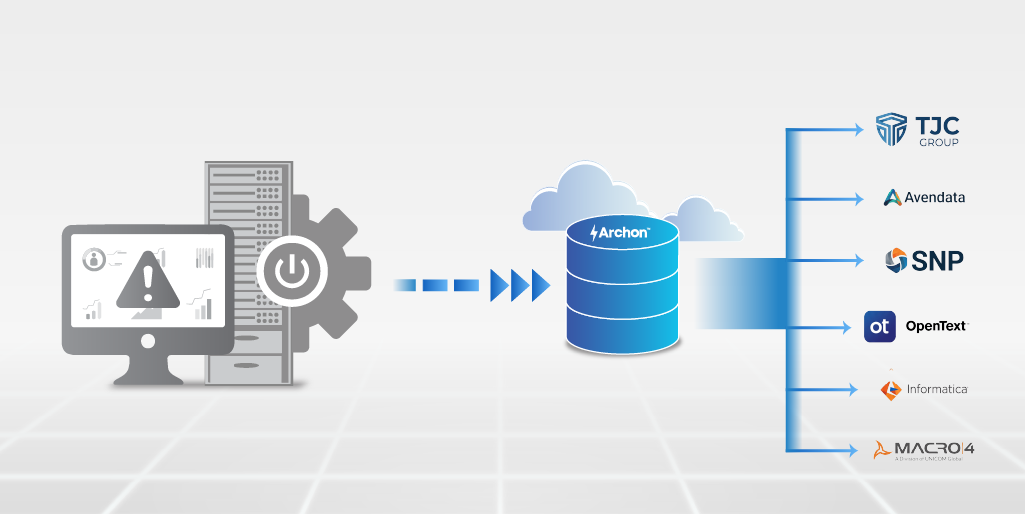
- Archon enables organizations to retire legacy applications while keeping historical data accessible, governed, and compliant.
Your old ERP struggles to die, even when your new ERP is up and live.
It starts with a migration program that is already three months behind schedule. The new ERP is live. The licenses for the legacy system are up for renewal, six figures, annually for a platform that is now, officially, redundant.
The IT director pulls up a spreadsheet of 40 legacy applications earmarked for retirement.
Legal flags five of them as audit sensitive.
Finance flags three more as containing payroll records going back fifteen years.
Someone in the room asks: “Can we just turn them off?”
This triggers a decommissioning initiative.
Retiring enterprise applications requires balancing compliance obligations, operational continuity, and long-term governance requirements. A poorly planned retirement can create audit vulnerabilities, regulatory exposure, and expensive data retrieval efforts.
A well-executed strategy lowers HANA and infrastructure costs, removes dependency on obsolete systems, and preserves historical records in a secure, defensible archive.
The good news is that there are tools built specifically for this.
The bad news – they are not all equal, and retention is not archiving.
Here are the seven best application decommissioning platforms and tools in 2026, evaluated on the criteria that actually matter in a regulated enterprise environment.
At a Glance: Quick Comparison
| Tool | Best For | Deployment | Compliance Depth | Native Connectors / Coverage |
|---|---|---|---|---|
| Archon Data Store | Enterprise application retirement and compliant data archiving | Cloud / On-prem / Hybrid | High | 200+ connectors |
| TJC Group | SAP decommissioning and SAP ILM projects | On-prem / Cloud | Medium-High | SAP-focused |
| AvenData (ViewBox) | Legacy ERP and application retirement | On-prem / Cloud | Medium | ERP-focused |
| SNP Kyana DataFridge | SAP S/4HANA transformation and data retirement | Cloud / On-prem | Medium-High | SAP-focused |
| OpenText InfoArchive | Long-term archive repository for retired applications | On-prem / Cloud | Medium-High | Broad enterprise coverage |
| Macro 4 (Columbus) | Business-context preservation during application retirement | On-prem / Cloud | Medium-High | Broad application support |
| Informatica ILM | Data masking & lifecycle policy within Informatica suite | On-prem / Cloud | Medium | Informatica ecosystem |
Best Application Decommissioning Software & Tools to Consider
On an average, a mid-sized enterprise running 12 legacy applications spends approximately $720,000 annually in excess maintenance costs, with 40% of IT resources tied to legacy support and an estimated 15 developers dedicated to upkeep.
If your organization falls under that category, you need to consider application decommissioning. The financial impact is significant here, and you have multiple tools to choose from.
1. Archon Data Store
If the goal is to retire a legacy application cleanly, completely, and with a defensible audit trail, Archon is the most purpose-built platform for enterprise IT and compliance teams navigating ERP migrations, cloud transitions, and legacy system retirement, Archon does what native retention tools simply cannot: it treats archived data as a long-lived, independently accessible, legally defensible asset.
Where most platforms move data into storage and hope nobody audits it, Archon treats every decommissioned application as an evidentiary record that may one day be subpoenaed, inspected by a regulator, or queried by a CFO three years from now.
Key Features & Capabilities
- 200+ pre-built connectors spanning SAP (ECC, S/4HANA, BW), Oracle (EBS, PeopleSoft, JD Edwards), Workday, Salesforce, Microsoft Dynamics 365, legacy HR, payroll, and financial systems
- Cross-application search: query archived data from any decommissioned system through a single interface, without reactivating the source system
- Legal hold orchestration and retention policy automation aligned to GDPR, CCPA, IRS, ERISA, FLSA, HIPAA, SOX, and regional regulations
- WORM (Write Once Read Many) storage and immutable append-only logs for regulatory-grade data integrity
- Cryptographic hashing, trusted timestamps, and notarization/ledger anchoring for evidentiary integrity
- Metadata tagging and taxonomy preservation across decommissioned application schemas
- AI-assisted data classification to categorize and prioritize data during the extraction phase
- Stores data into Archon Data Store, a lakehouse-native architecture, where the data remains governed and immutable.
Why Archon Stands Apart
Post decommissioning, the archived data remains queryable, searchable, and audit-ready without spinning the source system back up. For legal discovery, regulatory audit, or operational reporting on historical data, this removes the single most expensive failure mode in legacy decommissioning: the emergency reactivation of a system that was supposed to be retired.
Assess how this solution compares against your decommissioning, compliance, and long-term retention requirements before making a final decision.
2. TJC Group
TJC Group ELSA (Enterprise Legacy System Application) is a cloud-based decommissioning platform built on SAP BTP, aimed at retiring SAP and non-SAP legacy systems. It combines automated data extraction, compliance-aligned retention management, and audit reporting within a single governed framework, with a particular depth in SAP environments.
Key Features
- Automated identification and import of key business and customizing tables, including custom SAP objects, reducing manual scoping effort
- Hashkey generation and data lineage tracking stored transparently at extraction time for audit and chain-of-custody purposes
- Surgical data destruction capability that complements SAP ILM, enabling precise removal of personal data while preserving business-critical records
- Flexible deployment as either an intermediate or definitive archive, with connectivity to live ERP systems post-decommission
What to Check Before Choosing
- ELSA is built on SAP BTP, which means organisations outside the SAP ecosystem should verify non-SAP connector coverage in detail — the platform does not publish a named list of supported non-SAP systems
- ELSA is positioned as a complement to SAP ILM, not a replacement; organisations without an existing SAP ILM implementation may need both, adding cost and complexity
- Post-decommission search and independent data access capabilities are not well documented, buyers should confirm whether end-users and auditors can query archived data without vendor involvement
- Implementation relies heavily on TJC professional services; there is no self-service or rapid deployment path described for lean IT teams
- Evidentiary integrity features such as WORM storage, cryptographic notarisation, and legal hold orchestration are not explicitly addressed in the platform’s public documentation
3. AvenData (ViewBox)
ViewBox by AvenData is a dedicated post-decommission data access platform and data archiving tool executing full application decommissioning across SAP, Oracle, and a range of non-SAP platforms.
Key Features
- Broad system coverage spanning SAP (ECC, HCM, GTS, HANA migration archiving), Oracle (EBS, carve-outs), AS/400, mainframe, Microsoft Dynamics AX, Navision, and DMS/ECM systems
- ViewBox provides a web-based interface for structured data retrieval, full-text search, advanced filtering, and report replication.
- Legal hold and targeted data deletion capabilities, enabling surgical removal of personal data for GDPR compliance.
What to Check Before Choosing
- Enterprises seeking a self-service SaaS deployment with minimal vendor involvement should clarify whether a product-only path exists
- ViewBox is the post-decommission access layer, but its cross-application search capability and querying across multiple retired systems simultaneously, is not explicitly described; buyers with complex multi-system decommission programs should verify whether unified search spans all archived sources or operates per-system
- The platform’s connector depth for non-SAP and non-Oracle enterprise applications (Workday, Salesforce, modern cloud ERP) is not substantiated in public documentation; the named system list skews toward older or mid-market platforms.
- Evidentiary integrity features beyond encryption, specifically WORM storage, cryptographic hashing at ingestion, and court-grade chain-of-custody documentation, are not prominently described. Compliance claims reference IRS and SEC readiness but the underlying technical mechanisms should be confirmed for enterprises facing litigation discovery or forensic audit requirements
4. OpenTextInfoArchive
OpenText Information Archive is a long-term archiving platform positioned as a centralized repository for retiring obsolete applications while keeping their data searchable, compliant, and accessible
Key Features
- Consolidate data from multiple legacy applications into a single secure archive with unified access and control.
- Enforce immutable storage, encryption, retention policies, legal holds, and compliant data disposal.
- Search and view structured data and attachments without maintaining the original application.
- Archive legacy data to the cloud, reducing migration scope and ongoing subscription costs.
What to Check Before Choosing
- Product branding and roadmap continuity should be validated, as OpenText has a history of product consolidation and rebranding following acquisitions.
- Limited technical detail is publicly available on connectors, source system coverage, extraction methods, and transformation capabilities.
- Deployment appears heavily dependent on professional services, potentially increasing project timelines and costs.
- Advanced evidentiary controls such as cryptographic hashing, chain-of-custody tracking, and court-grade audit trails are not explicitly detailed.
- Cross-application search is described broadly, with limited information on multi-source federation and heterogeneous data mapping.

5. SNP Group Kyano Datafridge
SNP Group Kyano Datafridge is an SAP specialist application retirement platform, part of SNP’s broader Kyano data management suite. Kyano DataFridge decommissions SAP ECC and legacy SAP environments.
Key Features
- Legacy data migration to a compliant, cost-efficient archive, with users able to retrieve and query historical records through SAP GUI-style display transactions without the source system remaining operational
- Support for compliance, audit, regulatory, and tax obligations by preserving historical data in a governed, accessible archive post-decommission
- Active archiving capability (via the separate Kyano Outboard product) to reduce data volume in live systems ahead of a migration, running data management and migration in parallel
What to Check Before Choosing
- Kyano Datafridge is built around the SAP access paradigm, users interact with archived data via SAP GUI transactions. Enterprises that need non-SAP application retirement, or cross-application search outside the SAP interface, will find the platform’s scope narrow
- The platform’s non-SAP decommissioning capability is not substantiated with named connectors or supported systems.
- Evidentiary integrity features such as WORM storage, cryptographic hashing, and independent legal hold orchestration are not explicitly described; compliance coverage appears oriented toward audit accessibility rather than court-grade chain-of-custody
- Kyano Datafridge is one product within a multi-product platform; enterprises seeking a standalone decommissioning solution may find themselves acquiring more platform than their use case requires
- Implementation depth and professional services involvement are not clearly scoped in public documentation, making total cost of ownership difficult to assess without vendor engagement
Request a detailed product demonstration and validate connector support, search capabilities, and retention controls against your use cases.
6. Macro 4 (Columbus)
Macro 4’s Columbus repository archives data from retired applications while preserving business context. Its approach combines a structured eight-step decommissioning methodology with a long-term archive platform that supports both structured and unstructured content.
Key Features
- Columbus repository stores structured data, documents, images, videos, chats, and audio in compressed, encrypted, read-only format.
- Business application views recreate original application screens for familiar user access.
- Supports retention policies, legal holds, eDiscovery, data redaction, and defensible disposal.
What to Check Before Choosing
- Columbus is a broad information management suite, not solely a decommissioning platform.
- Delivery is services-led, with significant reliance on Macro 4 professional services.
- Public documentation provides limited detail on non-SAP connectors and ERP extraction capabilities.
- Compliance guidance focuses on GDPR, CCPA, SOX, and HIPAA; newer regulatory requirements should be validated.
- Cross-application search is highlighted, but technical details on federation and large-scale performance are limited.

7. Informatica Data Archive (Application Retirement)
Informatica Data Archive is a structured data archiving and application retirement solution designed for enterprises decommissioning legacy database applications in regulated industries. Built on the Informatica platform, it combines data discovery, archiving, validation, retention management, and compliant disposal capabilities.
Key Features
- Metadata discovery to identify data relationships in poorly documented legacy applications.
- Business-object archiving that preserves application context and record relationships.
- Retention policies, legal holds, and automated data disposal workflows.
- Compliance support for SOX, SEC, HIPAA, FDA, and eDiscovery requirements.
What to Check Before Choosing
- Much of Informatica’s retirement-focused documentation is dated and should be validated against current IDMC capabilities.
- Best suited for enterprises already invested in the Informatica ecosystem.
- Advanced evidentiary features such as cryptographic hashing, trusted timestamps, and independent chain-of-custody controls are not prominently documented.
- Unified search across multiple retired applications is not a core differentiator.
- Implementations are typically services-intensive and may require significant consulting engagement.
Key Questions to Ask Before Selecting a Decommissioning Platform
Do you think watching a demo alone of each tool will help you choose? Before any platform makes it to the shortlist, the evaluation team should be able to answer these questions clearly.
- What types of applications are being decommissioned? Not all decommissioning tools handle all application types. A platform built for ECM content migration will fail on SAP payroll data. A tool designed for SAP ILM will not touch Oracle EBS. Map your application portfolio before evaluating any vendor.
- What are your regulatory retention obligations? Identify the specific regulations that govern each application’s data: FLSA payroll retention (3 years), ERISA plan records (6 years), SOX financial records (7 years), HIPAA medical records (6 years federal minimum, longer in many states), GDPR right-to-erasure obligations. Your decommissioning platform must be able to enforce these policies programmatically, not manually.
- Will decommissioned data need to be accessed post-retirement? This is the question that separates storage solutions from archiving platforms. If there is any possibility that archived data will need to be queried, for legal discovery, a regulatory audit, a historical operational report, or a former employee’s payroll dispute, then the decommissioning platform must provide independent data access without reactivating the source system.
- What is the total cost of the ghost system you are replacing? The application being decommissioned has a current run cost. Add up the vendor maintenance/support fees, infrastructure, DBA time, patching overhead, and security monitoring. This is your “cost of inaction” baseline. A decommissioning platform that eliminates this cost in year one often pays for itself before the project closes.
- How will legal holds be managed after the source system is gone? If litigation is possible and in any enterprise environment, it is always possible that data under legal hold must be preserved and accessible regardless of the source application’s status. Verify that the platform supports legal hold orchestration independently of the source system, with auditable custody documentation.
- What are the long-term access and search requirements? A compliance requirement that does not materialize for five years is still a compliance requirement. Evaluate whether the platform will still be operable and supported when that audit happens. Cloud-native platforms with vendor SLAs provide stronger long-term access guarantees than on-premises appliances with uncertain maintenance roadmaps.
What’s the verdict?
The above tools range from purpose-built enterprise archiving platforms to narrowly scoped migration utilities. The right choice depends on application type, regulatory exposure, long-term access requirements, and whether your organization treats archived data as a liability to be stored or an asset to be governed.
Got a question to ask? Speak with an Archon specialist and explore your options with no obligation.


