


Key Points
- With Microsoft support ended, organizations running AX face increasing security, compliance, and operational risks without access to vendor patches or updates.
- Years of accumulated transactional data place pressure on SQL Server memory and storage, leading to slower reporting, higher infrastructure costs, and degraded user experience.
- Moving to Dynamics 365 does not remove the need to retain historical financial, operational, and regulatory records for years after AX is retired.
- Organizations often continue paying for servers, licenses, storage, administration, and security controls simply to access historical data stored in AX.
- Active records should move to Dynamics 365, while historical data should be archived in a compliant repository, enabling a clean decommission of the legacy environment.
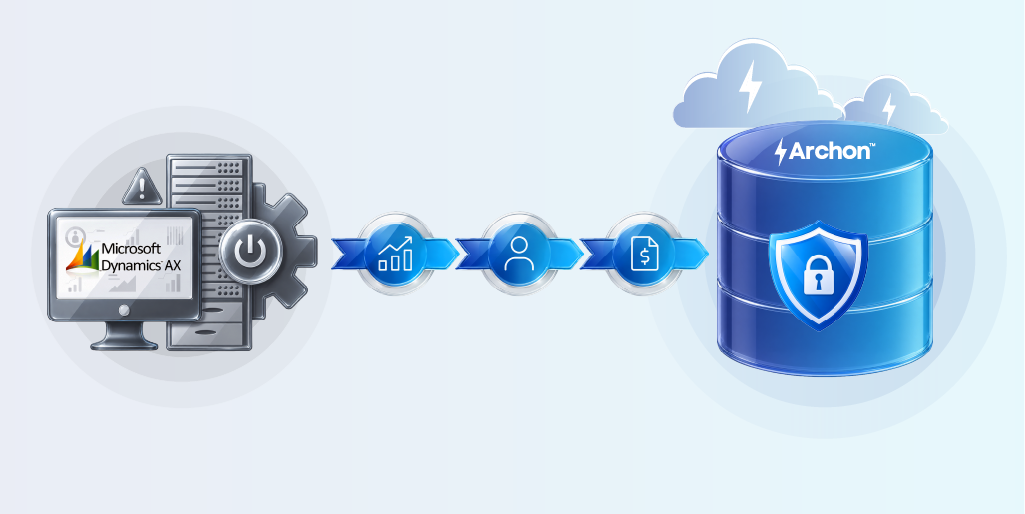
- Archon helps organizations discover, classify, migrate, archive, and govern Dynamics AX data while preserving business context, ensuring compliance, and eliminating the need to keep AX running for historical access.
Signs Your Dynamics AX Environment Is at Risk
The operations team starts reporting slow-loading screens. The IT team notices SQL Server memory utilization consistently running at its limits. Soon, storage costs begin creeping upward as years of transactional data continue to accumulate.
With Microsoft support for Dynamics AX now ended, every year the platform remains in service increases exposure to security vulnerabilities, audit risks, and compliance concerns.
At the same time, aging AX environments continue to accumulate historical data, placing increasing pressure on SQL Server resources. As databases grow beyond available memory, disk activity rises sharply, reporting slows, and users experience performance bottlenecks that impact productivity
Ever thought of this? No security patches. No bug fixes. No regulatory guidance from Microsoft on what to do when something breaks.
This is the pattern playing out at mid-market and enterprise enterprises running Dynamics AX 2009, 2012, and 2012 R3, all of which have now crossed Microsoft’s end-of-mainstream-support line.
If your organization hasn’t planned a migration, you are missing a bigger picture. Start the decommissioning conversation in the boardroom until it’s too late. Read through to know how it can be carried out strategically.
Dynamics AX End of Life: The Dates That Actually Matter
Microsoft’s mainstream support for Dynamics AX ended in stages, and extended support has now run its course across all major versions:
| Version | End of Mainstream Support | End of Extended Support |
|---|---|---|
| Dynamics AX 2009 (SP1) | October 2018 | April 2022 |
| Dynamics AX 2012 | October 2018 | April 2022 |
| Dynamics AX 2012 R2 | October 2018 | April 2022 |
| Dynamics AX 2012 R3 | October 2021 | January 2023 |
If you are still running any of these versions, or if you migrated to D365 but left AX running in parallel, you are operating an unsupported system.
But the bigger issue is not what Microsoft does or does not patch. It is what your organization still owes regulators, auditors, and courts, regardless of whether your ERP is still running.
The Data Retention Problem Nobody Tells You
Every Dynamics AX migration guide will walk you through lift-and-shift approaches, greenfield implementations, and how to rebuild your X++ customizations in the D365 extension model.
None of them answer the question that matters most to your CFO, GRC team, and legal counsel: What do we do with the historical data we cannot move into D365?
Financial records, procurement history, HR transactions, and operational data accumulated over a decade of running AX do not migrate cleanly into a new ERP. The D365 is not designed to carry seven years of legacy transaction history, and the legacy data needs to be archived.
The problem is that most enterprises treat archives as a backup and forget about it. That works right up until the moment a regulator asks for it. Data retention obligations do not care which ERP you switched to.
Depending on your industry and jurisdiction, you are likely looking at:
- SOX compliance (US public companies): 7 years for financial records
- HMRC requirements (UK): 6 years for business records
- GoBD (Germany): 10 years for tax-relevant records under BEG IV
- ZATCA / FTA VAT (Saudi Arabia / UAE): at least 6 years depending on transaction type
- FDA 21 CFR Part 11 (life sciences): electronic records must remain accessible and auditable for the product lifecycle.
Archiving your AX data to a file share or an unmanaged SQL backup satisfies none of these requirements. Auditors want query access, chain of custody, and the ability to pull a specific record by transaction ID.
Hidden Costs of Keeping Dynamics AX Running
In every organization, decommissioning initiative starts when a Dynamics AX stays alive in a reduced state; read-only access, skeleton infrastructure, one administrator who knows where everything lives.
Infrastructure costs do not disappear because an application is deprecated. On-premises AX environments carry ongoing costs: server hardware, OS licenses, database licenses, backup storage, and the power and cooling that comes with physical infrastructure. For enterprises that modernized 90% of their environment to the cloud, a single legacy AX instance is often the reason they cannot fully exit the data center.
Security exposure compounds over time. An unpatched, unsupported application is not a static risk; it is a growing one. Legacy ERP systems with network access are a well-documented attack vector; they hold financial data, supplier information, and in many cases HR records. Running AX post-extended support means accepting that attack surface with no vendor remediation path.
People costs are invisible but significant. Someone has to administer the old environment. Someone has to respond when a user cannot log in, when a report breaks, when IT asks whether a server can be decommissioned. That time is not free, and it typically falls on the same team that is supposed to be embedding the new D365 environment.
The M&A complications. If your organization is going through a carve-out, merger, or acquisition: common in manufacturing, logistics, and private equity-backed businesses, an unresolved AX environment creates legal and due diligence complexity. Historical data must be demonstrably segregated, retained under the correct entity, and accessible to auditors who may not have AX licenses or know how to operate the system.
The biggest cost of Dynamics AX may be the system you no longer use. Understand the business case for retiring it.
How to Shut Down Dynamics AX Without Losing a Single Record
Most Dynamics AX migration projects treat data as a single problem with a single solution: move everything to D365. The more precise approach splits the data estate into two distinct workstreams from the outset; active operational data to the new ERP, and historical legacy data to a compliant archive. Running these in parallel, not sequentially, is what makes a clean decommission possible.
Here is how that works in practice:
Step 1: Classify Your Data Before You Move Anything
Before a single record migrates anywhere, you need a complete inventory of what lives in AX and what category it falls into.
Active data – open purchase orders, current vendor master records, active customer accounts, open GL periods, ongoing projects – belongs to D365. This is the data your operational teams need on day one of go-live.
Historical data – closed transactions, completed financial periods, fulfilled orders, terminated employee records, archived contracts, belongs to the archive. This data is not operationally active, but it carries legal, regulatory, and audit obligations that do not expire when you switch ERPs.
Redundant or obsolete data – duplicate records, test transactions, superseded configurations, should be assessed for deletion rather than migrated anywhere.
At this stage, run a structured data discovery exercise against the AX environment: map table volumes, data classifications, business object relationships, custom fields, and retention flags.
The output should be a documented inventory that your migration team, legal counsel, and compliance leads can all work from, so decisions about what goes where are defensible.
Step 2: Define the Historical Cutoff Date
This is the single most important decision in a dual-workstream migration, and it is one most enterprises delay too long.
The cutoff date is the point in time dividing active data (going to D365) from historical data (going to the archive). It should align with a closed financial period, end of a fiscal year or quarter, so no open transactions straddle the boundary.
The cutoff date should be agreed jointly by Finance, IT, Legal, and the D365 program leader. It has downstream consequences for data volume estimates, D365 go-live scope, archive retention scheduling, and compliance declarations. Set it early and treat it as fixed.
A practical starting point for most mid-to-large AX environments: anything older than 24 to 36 months at a go–live date goes to the archive. Anything within that window gets assessed for active versus closed status individually.
Step 3: Extract and Stage Historical Data
Once the cutoff date is fixed, extraction of the historical dataset from the AX environment begins, directly from the SQL Server backend, including custom tables, extended data types, and bespoke modules.
Effective archiving preserves business context alongside transactional data: the reference data that makes a purchase order meaningful (vendor master, item master, cost center hierarchy), the relationships between records (invoice linked to PO linked to goods receipt), and the metadata auditors need (posting date, user ID, approval chain, document type).
Extraction should run without disrupting the live AX environment. Historical data is staged, validated against source record counts, and transformation rules applied to produce a clean, structured dataset ready for archive ingestion.
At this stage, run data quality checks: reconcile record counts against AX, validate referential integrity, and identify sensitive data fields for appropriate access controls in the archive.

Step 4: Load Active Data into Dynamics 365
In parallel, the D365 migration workstream runs its standard data migration process for active records. This typically involves:
- Extracting open transactions and master data from AX using Microsoft’s Data Management Framework (DMF) or third-party migration tooling
- Mapping AX data entities to D365 data entities (noting that the schemas are not identical and transformation is required)
- Cleansing master data; deduplicating vendor and customer records, validating GL account structures, rationalizing chart of accounts
- Loading into D365 via data packages, validating in a test environment before production cutover
- Reconciling opening balances against AX closing balances for the agreed cutoff period
The key principle here is D365 should only receive data it will actively use. Every record loaded into the live ERP is a record that must be maintained, upgraded, and managed through the product lifecycle. Keeping historical volume out of D365 is a performance, cost, and governance decision.
Step 5: Ingest Historical Data into the Archive
With historical data extracted, validated, and transformed, archive ingestion follows. A compliance-grade archive should enforce:
- Immutability at ingestion – records written to the archive are append-only. No modification, no deletion outside of a governed retention expiry process.
- Integrity Validation – each record is hashed at ingestion. Any subsequent tampering is detectable, which underpins the evidentiary integrity argument regulators and courts require.
- Trusted timestamps and notarization – records carry a tamper-evident timestamp establishing when they entered the archive. Critical for jurisdictions where the audit trail must prove when it was created and by whom.
- Retention policy assignment – records are tagged with the applicable retention schedule at ingestion: SOX 7-year, GoBD 10-year, ZATCA 5-year, or your organization’s custom policy. Expiry is automated and auditable.
- Legal hold orchestration – if any records are subject to litigation hold or regulatory investigation, they are flagged at this stage and exempted from automated expiry regardless of retention schedule.
Step 6: Validate Archive Access Before Decommissioning AX
This step is the one most program skip, and the one that causes the most pain later.
Before the AX environment is powered down, the archive must be validated end-to-end:
- Run sample queries across key business domains: pull a representative purchase order, a payroll transaction, a closed project record, a vendor invoice
- Confirm that business context is intact; transactions, linked reference data and approval chain
- Have Finance and Legal sign off on a sample audit scenario: can an auditor retrieve a complete financial record for a closed period using only the archive?
- Confirm cross-application search is working – keyword and transaction ID retrieval without navigating AX-era menu structures
- Document the validation results as part of the decommission sign-off pack
Only once this validation is complete should the decommission of AX proceed. The sign-off pack becomes part of the organization’s compliance record, evidence that data was preserved, validated, and accessible before the source system was retired.
Step 7: Decommission Dynamics AX and Recover Infrastructure
With active data live in D365 and historical data validated in the archive, AX can be retired in a controlled sequence:
- Revoke user access to AX, enforce D365 as the system of record from go-live date
- Take a final full backup of the AX database and retain it per your organization’s disaster recovery policy (separate from the archive)
- Decommission application servers, database servers, and associated infrastructure
- Cancel AX-related software licenses and support contracts
- Update the CMDB and asset register to reflect the decommissioned state
- Close the change record with reference to the decommission sign-off pack
Infrastructure recovered at this stage: servers, storage, data center rack space, licenses, represents the hard cost savings that make the decommissioning ROI case. For enterprises exiting on-premises data centers entirely, AX is often the last application preventing a full exit.
How Archon Approaches Dynamics AX Decommissioning
Executing a dual-workstream decommission is straightforward in principle. In practice, it depends entirely on the tool. A generic ETL pipeline does not understand AX table relationships. A cloud storage bucket is not a compliance-grade archive. And a SQL backup is not a legal hold. The difference between a decommission that closes cleanly and one that runs for three years is usually the platform sitting underneath it.
That is what Archon is designed to be.

Archon Analyzer connects directly to the Dynamics AX environment; SQL Server backend, AX application layer, custom tables and all, to produce a complete inventory of what is there, how much of it exists, what data classifications apply, and what retention obligations are in scope. Before a single byte moves, you have a documented picture of the legacy estate.
Archon ETL handles data extraction and transformation. Critically, it preserves business context: not just raw transaction data, but the relationships, reference data, and metadata that make a record meaningful in an audit or legal context. You do not need to rebuild every AX customization in D365 to retrieve a complete transaction history. The context travels with the data into the archive.
Archon Data Store holds the archived data in a Lakehouse-native architecture with immutability enforced at ingestion. Records are append-only. WORM storage and trusted timestamps enabled. Legal hold orchestration. Cross-application search that does not require a running AX instance to retrieve a result.
The practical outcome is that your AX environment can be switched off. The licenses are canceled. And when your auditor asks for a purchase ledger from Q3 2018, your team pulls it in under three minutes from a compliant, audit-ready archive, without anyone needing to know where the old server was.
Your Biggest AX Risk May Be the System You Already Replaced
For most organizations, the Dynamics 365 migration project ends at go-live. But the real test of modernization begins the day after.
Because while users move on to the new ERP, years of financial, operational, customer, and compliance-critical data remain trapped in the old one. Unsupported. Growing. Expensive to maintain. And waiting for the moment someone needs access to it.
This is the blind spot in many ERP transformation programs. Organizations spend millions modernizing their business processes, only to leave behind a legacy environment that continues to consume infrastructure, introduce security exposure, and create long-term governance challenges.
The goal was never just to migrate Dynamics AX. The goal is to eliminate the dependency on Dynamics AX altogether.
Could your organization shut down Dynamics AX tomorrow and still access every record you need? If the answer is uncertain, it’s time to evaluate your AX retirement readiness.
Book a Dynamics AX Retirement Assessment with Archon


