


Key Points
- Legacy system decommissioning is a governed, multi-phase process, not just shutting down applications.
- A seven-phase framework ensures structured execution, covering assessment, data classification, dependency mapping, archival, validation, shutdown, and governance.
- Skipping steps like dependency mapping or retention planning leads to technical debt, compliance risks, and hidden system failures.
- Effective decommissioning requires creating a context-rich, immutable archive that supports audits, eDiscovery, and long-term access.
- A controlled shutdown sequence is critical to avoid data loss, security gaps, and ongoing infrastructure or license costs.
- Post-shutdown governance ensures archives remain secure, compliant, and accessible, preventing them from becoming new technical debt.
Decommissioning legacy systems is no longer about whether to act. The focus is on execution.
The focus is on completing it in a controlled, structured way, while ensuring data remains accessible, compliant, and audit-ready.
As cloud programs, ERP transformations, and compliance frameworks continue to expand, system retirement has become essential. At the same time, a large share of IT budgets still goes into maintaining low-value legacy systems that primarily serve historical data access needs.
The numbers reflect the urgency. According to the U.S. Government Accountability Office, nearly 79% of IT spending still goes toward maintaining legacy systems, many of which should already be retired.
A clear approach defines required data, sets consistent access controls, and ensures audit and eDiscovery readiness. With alignment across IT, compliance, and business teams, a phased model enables structured execution, governed access, and reliable data availability without reliance on the original application.
The objective is straightforward: to retain business-critical data, meet regulatory expectations, and optimize IT spend, all within a well-defined framework.
This guide outlines that approach by breaking down legacy system decommissioning into practical phases, along with the key actions required at each stage to ensure a smooth and controlled transition.
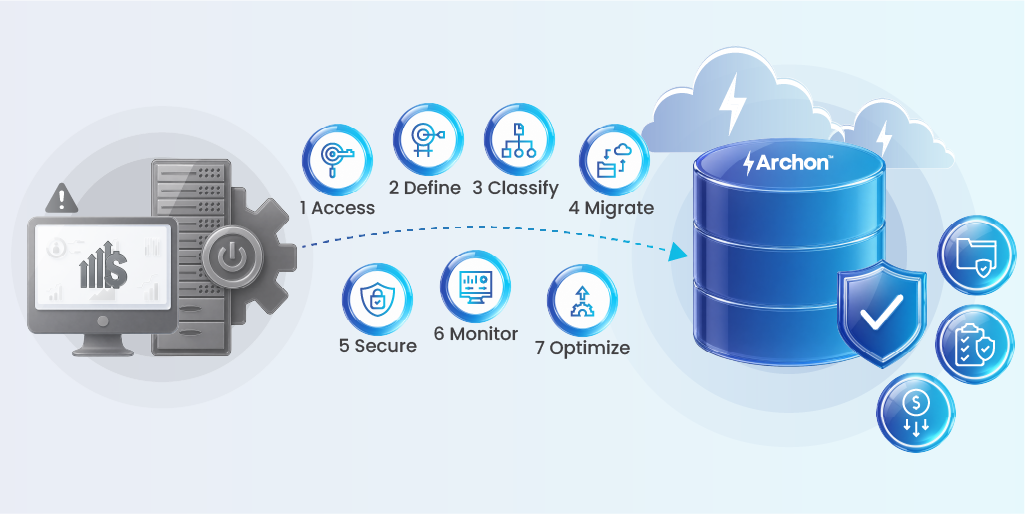
The Seven-Phase Legacy System Decommissioning Framework
A structured decommission is not a project; it is a governed program. Each phase reflects a mature legacy system decommissioning strategy aligned with enterprise data archiving, regulatory compliance, and secure data retention.
Below is the full framework at a glance, followed by detailed guidance on each phase.
| Phase | Name | Primary Object | Key Activities | Output | Stakeholders |
|---|---|---|---|---|---|
| 1 | Portfolio Assessment | Inventory + cost baseline + risk score | System discovery, TCO analysis, risk scoring | Prioritized decommission list | IT, Finance, Architecture |
| 2 | Data Classification & Retention | Classify data, define legally defensible retention | Record classification, jurisdiction mapping, and hold identification | Retention schedule + legal approval | Legal, Compliance, Data Owners |
| 3 | Dependency Mapping | Expose all integration and data dependencies | API/feed audit, lineage tracing, downstream impact analysis | Dependency register + transition plans | Architecture, IT Ops, Business Analysts |
| 4 | Data Extraction & Archival | Create compliant, context-rich, audit-ready archive | Native extraction, metadata tagging, WORM, RBAC carry-forward | Validated structured archive | IT, Data Engineering, Compliance |
| 5 | Validation & UAT | Prove archive works before the system goes dark | Scenario-based UAT, completeness checks, and legal hold tests | Signed-off validation package | IT, Legal, Business, Compliance |
| 6 | Controlled Shutdown | Structured infrastructure teardown + compliance closure | 12-step shutdown sequence, license termination, hardware sanitization | Fully retired system + evidence package | IT, CISO, Finance, Legal |
| 7 | Post-Shutdown Governance | Prevent orphaned archives from becoming new technical debt | Access controls, retention enforcement, audit log review, and cost confirmation | Governed, compliant, cost-verified archive | IT, Legal, Compliance, Finance |
Case Study:
Throughout this section, we follow a regional bank that decided to decommission its legacy core banking platform (running from 2008 to 2022) and migrate to a modern cloud-native core system.
The platform stored 14 years of transactional, customer, and compliance data across 12 connected downstream applications. Each phase explains what the team executed, along with the key gaps and risks they almost overlooked.
Phase 1: Application Portfolio Assessment
Objective: Establish a complete, defensible inventory of every system in scope with cost, risk, and compliance data attached before any execution begins.
Criteria: A system qualifies for decommission assessment when it has a viable replacement, incurs support cost without proportional business value, or holds data subject to regulatory compliance and data retention policies beyond operational use.
Activities
Step 1. Conduct a full application inventory: owner, data classification, business function, licensing terms, infrastructure footprint, and alignment with data lifecycle management.
Step 2. Establish total cost of ownership (TCO): license fees, support contracts, infrastructure, and internal maintenance FTEs.
Step 3. Score each system on four axes: strategic value (is there a replacement?), compliance obligation (how long must data be retained?), operational impact (what breaks if removed?), and cost reality (is the system worth keeping?).
Step 4. Produce a risk-weighted, prioritized decommission list with recommended timelines.
Output: A prioritized system inventory with risk scores, compliance flags, and estimated cost recovery per retirement.
If Skipped: Decommission scope is set by assumption, not data. High-risk systems get missed. Budget cases are weak. The program loses executive credibility before it starts, especially in environments requiring compliance auditing and audit-ready data visibility.
People Involved: CTO, IT Architecture, Finance (TCO), Application Owners, Procurement.
Case Study Phase 1:
The bank identified 23 applications connected to the legacy core system. A Total Cost of Ownership (TCO) analysis showed that the platform costs $4.2M per year for licenses, infrastructure, and internal support. However, the system is only used for historical data access and data retrieval. This insight became the main driver for the program’s business case.
Phase 2: Regulatory Data Classification and Retention
Objective: Classify every record type by regulatory jurisdiction and define legally defensible retention periods before any data movement begins. This is a critical step in how to decommission legacy systems and a core part of any legacy system decommissioning checklist.
Criteria: Classification is done by record type and jurisdiction, not by system. A single legacy system typically contains multiple record classes, each governed by different regulations, data residency requirements, and retention policies.
Activities
Step 5: Map all record types within the system (financial transactions, HR records, customer PII, audit logs, compliance reports).
Step 6: Identify applicable regulatory frameworks by geography and data type: SOX (7 years, US financial records), HIPAA (6 years, PHI), MiFID II (5-7 years, EU financial instruments), GDPR (purpose-limited retention), DPDPA (purpose-limited retention).
Step 7: Flag all active legal hold (litigation holds). Any data linked to pending or anticipated legal matters must be protected before movement, missing this creates spoliation exposure.
Step 8: Define a disposition decision for each record class: archive, migrate, or delete. No delete action proceeds without formal legal sign-off, ensuring information governance and compliance auditing readiness.
Output: A complete data classification matrix with retention schedules, jurisdiction mapping, hold flags, and documented legal approval on all disposition decisions.
If Skipped: Records get purged too early (regulatory violation and spoliation sanctions) or retained indefinitely without structure (storage cost and future audit failure).
Case Study: Phase 2
Banks legal team identified three active regulatory audits linked to pre-2018 transaction data. These records were immediately placed under a litigation hold.
Missing this step would have introduced significant compliance risk during the decommissioning process. The data classification process also identified customer PII belonging to EU residents. This data required GDPR-compliant handling, separate from the rest of the dataset.
Phase 3: Dependency Mapping
Objective: Expose every integration, feed, report, API, and data flow connected to the retiring system before shutdown, not after failure.
Criteria: This phase is complete only when every downstream dependency is identified, documented, and either transitioned or retired.
Dependency mapping is often underestimated, yet it’s the main reason decommissions fail. Broken dashboards, failed compliance feeds, and data gaps in data governance and regulatory compliance.
Over time, legacy systems build hidden connections like APIs, batch jobs, BI reports, and external integrations. Many remain undocumented or forgotten until shutdown, when things suddenly break.
Activities
Step 9: Execute an API gateway audit: pull all registered endpoints, consumption logs, and authentication records using identity and access management (IAM) data. Anything that called this system in the last 24 months is a live dependency until proven otherwise.
Step 10: Audit the job scheduler: identify every batch job, ETL process, and scheduled extract that references this system by system name, database connection string, or data source alias.
Step 11: Map BI and analytics data sources: review every report, dashboard, and analytics feed for direct or derived references to the legacy system’s data.
Steps 12: Conduct compliance feed interviews: work with regulatory reporting, risk, and audit teams to identify feeds they consume that touch this system many are not documented in IT inventories.
Steps 13: Trace data lineage end-to-end: for each identified consumer, map the full path from source to output. This reveals second-order dependencies on systems that consume from systems that consume from the legacy platform.
Step 14: Build a dependency register: document each dependency with its owner, current status, transition plan, and test date.
Step 15: Test transition plans before shutdown: validate that every identified consumer has been rerouted, decommissioned, or explicitly acknowledged as a known risk with a remediation plan.
Output: A complete, tested dependency register. No system goes dark until every entry has a confirmed disposition.
If Skipped: Inaccurate reports, compliance feed outages, silent data gaps in operational systems, and audit failures that trace back to the shutdown weeks or months later, with no clear root cause.
People Involved: Enterprise Architecture, IT Operations, BI/Analytics teams, Compliance Reporting, External Integration Partners, Business Analysts.
Case Study: Phase 3
Bank’s architecture team identified 47 documented dependencies and 11 additional undocumented dependencies through API log analysis and data lineage tracing. Among the undocumented dependencies, three were regulatory reporting data feeds used by the risk function. These feeds had no assigned internal ownership.
Without the log audit, these data pipelines would have failed silently after system shutdown, resulting in incorrect regulatory reporting submissions.
Phase 4: Data Extraction and Archival
Objective: Produce a structured, context-rich, immutable archive that enables audit retrieval, legal hold enforcement, and regulatory compliance independently of the source system, aligned with enterprise data archiving principles.
Criteria: The archive must preserve business context, not just data tables. An archive that requires the original system to be interpretable is not an archive, it is a dependency.
Activities
Step 16: Extract in native format from source systems (SAP, Oracle, core banking platforms). Generic CSV extraction destroys relational context and transactional hierarchy.
Step 17: Preserve application semantics: capture document types, approval chains, workflow states, and business hierarchies and not just raw tables.
Step 18: Apply metadata at ingestion: tag each record with source system, record type, jurisdiction, retention expiry, and legal hold status at the point of archiving but not retroactively.
Step 19: Implement WORM (Write Once, Read Many) storage for regulated data classes. Immutability must be applied at ingestion to establish a clean chain of custody.
Step 20: Carry forward RBAC controls from the source system. Access permissions should match source-system roles, not be rebuilt from scratch.
Step 21: Use vendor-neutral, open formats to ensure long-term accessibility without platform dependency.
Output: A secure, queryable, immutable archive ready for audit retrieval, legal hold enforcement, and regulatory defensibility.
If Skipped: Data becomes uninterpretable. Audit requests fail. eDiscovery becomes a manual, expensive exercise. Compliance teams cannot produce records on demand.
People Involved: Data Engineering, IT Architecture, Compliance, Legal (hold validation), CISO (security controls).
Case Study: Phase 4
The data engineering team extracted 1.4 TB of structured transactional data spanning 14 years. Initial extraction using generic tools failed to capture inter-entity relationships within the loan origination module. The team then used native extraction connectors, which preserved the hierarchical data structure required for Basel III reporting.
WORM (Write Once, Read Many) was enforced at the ingestion stage for all records, and retention policies were configured at the record-class level instead of the database level.
Phase 5: Validation and UAT
Objective: Proven with real business scenarios, not technical checks, that the archive is complete, accurate, and operationally ready before the source system is shut down.
Criteria: UAT is signed off by IT, Legal, Compliance, and business stakeholders. Technical validation alone is not sufficient.
Activities
Step 22: Design test scenarios from actual business use cases: regulatory reporting retrieval, audit record reproduction, eDiscovery response simulation, HR record access, financial reconciliation.
Step 23: Run record completeness checks: validate row counts, metadata integrity, relationship preservation, and schema completeness against source system snapshots.
Step 24: Test legal hold enforcement: verify that hold-flagged records cannot be deleted or modified by any user or process, including system administrators.
Step 25: Validate RBAC: confirm that access controls match source-system permissions across all roles and no over-provisioning, no access gaps.
Step 26: Reproduce historical reports from the archive to confirm output equivalence to source system output.
Output: A documented validation package with test results, discrepancy resolution records, and formal sign-offs from all required stakeholder groups.
If Skipped: Errors in the archive are only discovered during an audit or legal proceeding at which point remediation is not possible.
People Involved: IT, Legal, Compliance, Finance, Business Unit Leads, Audit team.
Case Study: Phase 5
During UAT, Bank’s compliance team tried to reproduce a 2019 regulatory submission from the archive. The generated report showed a 3% variance compared to the original output.
Further analysis identified that a metadata transformation rule had incorrectly mapped a transaction category. The mapping logic was corrected, and the output was re-validated before system shutdown. This fix prevented a potential regulatory reporting failure that could have occurred after decommissioning.
Phase 6: Controlled Shutdown and Compliance Closure
Objective: Execute a sequenced infrastructure teardown with documented compliance closure, aligned with security policies, data loss prevention (DLP), and compliance frameworks. Order is important. If you shut things down in the wrong sequence, data can get corrupted while moving.
Criteria: Shutdown proceeds only after full UAT sign-off and dependency register closure. No exceptions.
Activities: Step Controlled Shutdown Sequence
Step 27: Disable write access to the source system.
Step 28: Revoke all API and integration credentials.
Step 29: Lock all user accounts.
Step 30: Capture final system state snapshot (last transaction log, user access list, system configuration).
Step 31: Deallocate application tier infrastructure.
Step 32: Deallocate database tier.
Step 33: Deallocate storage.
Step 34: Deallocate network resources.
Step 35: Submit a formal license termination to all vendors.
Step 36: Execute hardware sanitization per NIST SP 800-88.
Step 37: Log and timestamp the shutdown event with cryptographic integrity.
Step 38: Assemble and store the compliance evidence package.
Steps 27- 30 freeze and stabilize the system. Steps 31-34 remove infrastructure in dependency order. Steps 35-38 close compliance obligations. Sequence is non-negotiable.
Output: A fully retired system with no residual infrastructure costs, documented license terminations, and a compliance evidence package available for audit, enabling organizations to complete data center decommissioning initiatives with confidence.
People Involved: IT Operations, CISO, Finance (license termination), Legal (compliance evidence), Procurement.
Case Study: Phase 6
The bank’s shutdown was completed in 72 hours across three infrastructure tiers. The finance team validated the termination of seven vendor contracts, resulting in annual cost savings of $1.8M.
A compliance evidence package consisting of shutdown logs, final system state snapshots, and NIST-compliant data sanitization certificates was archived along with operational data to ensure audit and regulatory readiness.

Phase 7: Post-Shutdown Governance
Objective: Prevent the archive from becoming an unmanaged, ungoverned blind spot, the same problem the decommission was designed to eliminate.
Criteria: Governance is operational when access controls are active, retention schedules are running, audit logs are live, and cost savings are confirmed.
Activities
Step 39: Establish archive access management: define who can retrieve records, under what conditions, and with what audit trail.
Step 40: Update all system documentation: remove the retired system from architecture diagrams, data dictionaries, compliance inventories, and disaster recovery plans.
Step 41: Activate retention enforcement: configure automated expiry for each record class. Deletions execute per legal sign-off, not manually.
Step 42: Enable audit logging on the archive: every access, retrieval, and policy change is logged with timestamp and user identity.
Step 45: Confirm cost savings: validate that all license, infrastructure, and support costs associated with the retired system have been eliminated from the budget.
Output: A governed archive with active access controls, running retention enforcement, live audit logs, and confirmed cost recovery.
If Skipped: The archive becomes an orphan: no owner, weak access controls, no retention enforcement. Technical debt returns just to a storage bucket instead of a running system.
People Involved: IT Operations, Legal, Compliance, Finance, Records Management.
Case Study: Phase 7
Six months after decommissioning, bank received a regulatory request for transaction data from 2015 to 2019. The governance team extracted the complete dataset in under four hours, maintaining structured format, audit logs, and chain-of-custody integrity.
In the earlier system, fulfilling the same request would have taken up to three weeks and required specialized system access.
Final Consolidation: Why Entity Relationships Matter Before Shutdown
Across all phases, one thing that remains constant is data relationships, which defines the success or failure of decommissioning.
The Entity Relationship Diagram (ERD) becomes critical at this stage because it validates that:
- All dependencies identified in Phase 3 are complete
- Data extracted in Phase 4 retains its full context
- Validation in Phase 5 confirms relationship integrity, not just record counts
It ensures that what has been archived is not just data, but connected, usable, and compliant information.
Here’s a diagram showing how the overall system works.
In short: If relationships are preserved, the system is truly retired. If not, the dependency still exists, just in a broken form.

Why Most Legacy System Decommissions Create Technical Debt Instead of Eliminating It
Most failures in the legacy system deco missioning process do not appear immediately; they surface later. What follows are the patterns that repeat across organizations.
A) The flat file trap
One of the most common decisions in decommissioning is to export legacy data into flat files such as CSVs and treat that as “archived.” At a surface level, this feels efficient. Data is extracted, stored, and the system can be shut down.
But what gets lost in that process is not immediately visible.
Enterprise systems are not just collections of tables—they are structured environments where relationships, dependencies, and transactional context define how data behaves. When data is flattened:
- Relationships between entities are broken
- Business context is stripped away
- Audit trails become fragmented or incomplete
The data still exists, but it no longer answers critical questions. This gap only surfaces when someone tries to trace a transaction or reproduce a report—and fails, not due to missing data, but because its context is lost.
B) The half-shutdown
Another pattern appears when decommissioning is treated as a logical milestone rather than a complete teardown. Applications are marked as “retired.” Access is restricted. Teams move on.
But underneath that surface:
- Licenses continue renewing
- Cloud resources remain provisioned
- Infrastructure dependencies are left active
This creates an in-between state where the system is no longer used, but still exists operationally. The impact is not just cost leakage—it is architectural ambiguity.
Because as long as the system remains partially active, it continues to be a silent dependency. Teams are unsure whether it can be fully removed, and over time, it becomes harder to untangle.
C) The dependency blind spot
Legacy systems rarely operate in isolation. Over time, they become deeply embedded across the enterprise landscape. Reports pull from them. APIs depend on them. Batch jobs rely on their data structures. External systems may still reference them indirectly.
The challenge is that many of these dependencies are undocumented. So when a system is decommissioned:
- Reports start showing inconsistencies
- Dashboards fail silently
- Downstream processes behave unpredictably
And most importantly, these failures do not happen immediately. They appear later—often disconnected from the original shutdown—making root cause analysis slow and difficult.
This is where decommissioning shifts from a technical task to an investigative problem.
D) The missing retention schedule
In many decommissioning programs, retention is treated as a compliance checkbox rather than a design decision. But the question is not just how long to retain data. It is:
What data needs to remain accessible?, In what form?, For which use cases: aits udit, reporting, legal, or operations?
Without clear answers, organizations fall into two risky patterns:
- Data is deleted too early, creating compliance and legal exposure
- Data is retained without structure, increasing storage cost and reducing usability
Both outcomes stem from the same issue, and retention was not defined as part of the architecture.
E) The orphaned archive
Even when data is archived, the archive itself can become unmanaged. No clear ownership, weak access controls, limited audit logs, and fading documentation.
What was meant to be a clean endpoint turns into a blind spot. And because archives are rarely used, these issues stay hidden until the data is suddenly needed.
Then the question shifts from “Do we have the data?” to “Can we trust it, access it, and explain it?”
The Underlying Pattern- These aren’t isolated mistakes; they share a root cause: decommissioning is treated as a system shutdown instead of a data and context preservation problem.
Turning off a system is easy; preserving what it did for the business is not. That’s why most efforts succeed in execution but fail in outcome.
Technical debt then returns, not in what you removed, but in what you didn’t carry forward.
What Organizations Do vs. What Actually Happens
| What Organizations Do | What Actually Happens |
|---|---|
| Export to flat files and shut down | Business context lost; audit failures emerge 2-3 years later |
| Declare decommission “done” at functional shutdown | Licenses and infrastructure costs continue unchanged |
| Skip dependency mapping | Silent downstream failures weeks post-shutdown |
| Archive without a governance policy | Orphaned storage; new technical debt created in a different location |
| Purge data before confirming retention periods | Regulatory violation; spoliation exposure in active or anticipated litigation |
Legacy System Decommissioning Checklist
A structured legacy system decommissioning checklist ensures accountability. With phase-wise approvals and clear ownership, it becomes a compliance control.
Pre-Decommission (IT + Legal + Compliance)
- Complete application inventory and cost baseline
- Identify business and data owners
- Classify data and define retention rules
- Confirm litigation holds with legal approval
- Map dependencies and create transition plans
- Form a cross-functional team
During Execution (IT + Data Owner + Compliance)
- Validate ETL and configure archive (RBAC, WORM, metadata)
- Apply metadata at ingestion
- Conduct UAT using real scenarios
- Verify data completeness and legal holds
- Validate access controls (RBAC)
- Freeze the source system after sign-offs
Shutdown (IT + CISO + Finance)
- Decommission in sequence (app – DB – storage – network)
- Terminate licenses and vendor contracts
- Sanitize hardware and log shutdown
- Compile compliance evidence
Post-Decommission (IT + Legal + Compliance + Business)
- Define archive access and update documentation
- Enforce retention and audit logs
- Confirm cost savings
- Document learnings and update the runbook
Take a deeper look at how retention policies are structured in practice.
Decommissioning Risk by Role
Decommissioning risks are not the same for everyone. Each role faces different challenges based on their responsibilities.
CTO / CIO
- System failures from hidden dependencies
- Old problems carried into the archive
- Wrong systems or sequence due to poor visibility
Enterprise Architect
- Missed dependencies leave integration gaps
- Lock-in due to vendor-specific archive formats
- Archive not compatible with future analytics or AI
CISO
- Data exposure during extraction or transfer
- Poor hardware cleanup leading to data recovery risks
- Weak access controls in the archive
CFO / Finance
- Licenses are still being renewed after the shutdown
- Hidden infrastructure costs are still active
- Expected cost savings not fully realized
Compliance / Legal
- Data was deleted too early, causing violations
- Missing litigation holds
- Failure to retrieve records during audits
Risk Severity Matrix
| Risk Category | Trigger | Exposed (Role) | Severity |
|---|---|---|---|
| Premature data purge | No retention schedule or legal sign-off | Legal, Compliance | Critical |
| Undiscovered integration dependency | Skipped dependency mapping | CTO, Architect | High |
| Flat file archive failure | CSV extraction without context preservation | Compliance, Legal | Critical |
| License cost continuation | Informal or missing termination process | CFO, Finance | Medium |
| RBAC gap in the archive | Access controls not carried forward | CISO, Compliance | High |
| Missing litigation hold | Legal review was skipped before data movement | Legal, Compliance | Critical |
| Hardware sanitization failure | NIST 800-88 not applied to decommissioned hardware | CISO | High |
| Orphaned Archive | No post-shutdown governance program | CTO, Compliance | High |
Best Practices for Legacy System Decommissioning
Avoiding technical debt in decommissioning demands a control-led approach across data, compliance, and operations. These practices ensure data integrity, audit readiness, and reduced long-term risk exposure.
1. Archive First, Then Apply Retention
Archive everything first. Apply retention and deletions only after validation to avoid data loss and compliance risks.
2. Keep Business Context Intact
Store not just data, but its meaning, like workflows and relationships. Without context, the archive becomes unusable
3. Make Data Immutable from the Start
Apply WORM at ingestion to ensure data cannot be altered and remains audit-ready.
4. Run Decommission and Migration Together
Handle both as parallel efforts to save time and avoid delays.
5. Treat Sign-offs Seriously
Legal, compliance, business, and finance approvals are critical controls, not formalities.
6. Create a Repeatable Runbook
Document learnings to make future decommissions faster and more reliable.
7. Plan for Changing Regulations
Design the archive to adapt to evolving retention rules without needing rework.
Industry-Specific Process Considerations
Decommissioning legacy systems across industries varies due to differences in data complexity, regulatory mandates, and system landscapes. Each sector requires a tailored archiving approach aligned to its operational and compliance needs.
1. Manufacturing: SAP ECC / JD Edwards / Oracle EBS / Infor: Requires handling complex multi-entity, multi-currency data while preserving hierarchy in archives. Retention extends beyond 10+ years and may span product lifecycles. Legacy data must be archived before S/4HANA migration to avoid cost increases. High risk from undocumented MES and shop-floor integrations.
2. Financial Services: Core Banking, Payments: Strict compliance mandates (SEC, FINRA, MiFID II) require tamper-proof, WORM-based archives that remain independently auditable. Fast eDiscovery and granular legal hold are critical due to high breach risk and regulatory scrutiny.
3. Healthcare & Life Sciences: Epic, Cerner: PHI must be securely handled to avoid HIPAA violations. Retention ranges from 6-10+ years. Archived healthcare data must support both clinical access and compliance, with strict access controls and Privacy Officer approval.
4. Insurance: Policy & Claims Systems: Long retention (15-25+ years) due to extended claims lifecycle. Data often spans multiple legacy systems from acquisitions, requiring unified archives with full record traceability and quick regulatory retrieval.
5. Retail: ERP, POS, Merchandising: High data volume impacts archive cost significantly over time. Frequent M&A leads to overlapping systems needing fast rationalization. Multi-jurisdiction tax compliance requires structured, accessible historical data.
Decommissioning Done Right
Decommissioning done right is a governance program and not a shutdown event. A well-defined system decommissioning strategy combined with strong execution ensures long-term value and risk reduction.
The organizations that recover the full value of retiring legacy systems are the ones that treat each phase as a formal control: inventoried, owned, validated, and signed off before the next one begins.
The seven-phase framework in this guide is not theoretical. It is the discipline that separates a decommission that creates technical debt from one that eliminates it. The risks are real, the patterns are predictable, and the decommissioning solutions are available.
The decision to do it right happens at the start and not when issues surface later.
Ready to build a decommission program that stands up to audits?
Connect with an Archon expert to architect your legacy retirement program for phase by phase, compliance-first.


