


Key Points
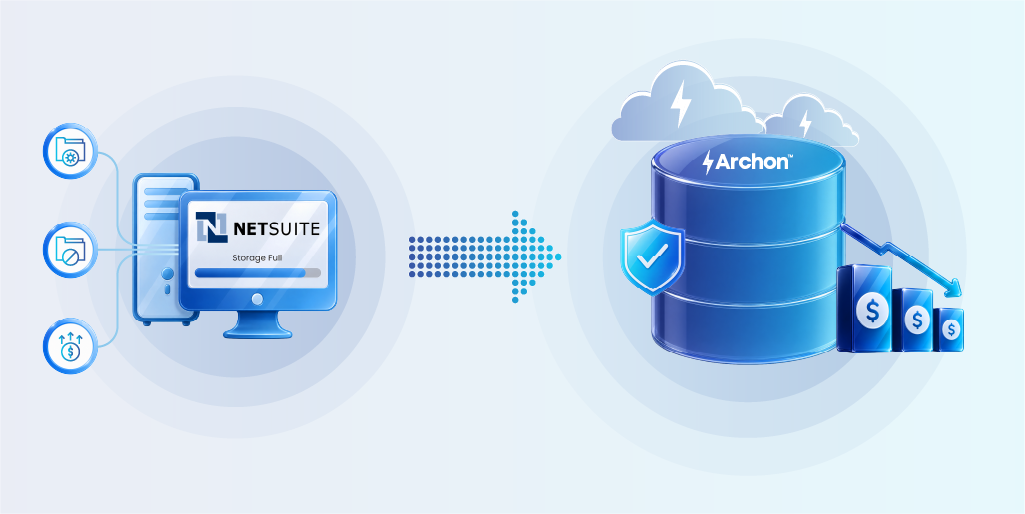
- NetSuite charges $199/month per additional 10 GB beyond its 100 GB standard tier, mid-market deployments storing 500 GB–1 TB can spend $60,000+ per year in storage fees alone.
- Enterprises implementing structured archiving programs report 20–50% storage cost reductions; external archival platforms deliver 60–80% savings.
- SOX, IRS, and GAAP all mandate 7+ years of financial record retention yet most NetSuite instances store all of this in live, queryable tables.
- Unarchived transaction records directly slow NetSuite performance: close processes that took three days can stretch to six as data volumes accumulate.
- Global enterprise data volumes reached 149 zettabytes in 2024 and are projected to grow 23-fold by 2030 (Gartner), making proactive archiving a strategic imperative.
- Archiving does not delete data as archived records remain searchable, retrievable, and audit-ready without consuming your active NetSuite license.
- A structured NetSuite archiving program satisfies obligations across SOX, IRS, GAAP, GDPR, CCPA, HIPAA, and SEC Rule 17a-4 simultaneously.
The NetSuite Storage Problem Most Finance Teams Discover Too Late
NetSuite has 43,000 customers across 219 countries and manages more than 6 petabytes of data with over 1.5 billion data requests per day. For the finance and IT teams running those deployments, the scale is impressive. The billing reality, however, is less so.
NetSuite’s standard File Cabinet tier provides 100 GB of storage. Beyond that, you pay $199 per month for each additional 10 GB block, or you upgrade to a premium tier at roughly $60,000 per year for an additional 1,000 GB.
A mid-market manufacturer with five years of transaction history, customer attachments, vendor invoices, and audit documentation will routinely sit between 500 GB and 1 TB, pushing storage costs well past what most CFOs budgeted.
Storage fees are only half the equation. Large, unarchived data volumes degrade system performance in ways that erode daily productivity. Close processes that once took three days can extend to six as transaction tables grow unchecked, because every query must scan through years of historical records to return current results.
Organizations running NetSuite at scale report that data bloat is among the most common root causes of slow saved searches, sluggish dashboard rendering, and delayed period-end processing.
The answer is not to buy more storage. The answer is to archive systematically.
What NetSuite Data Archiving Actually Means

Data archiving is not deletion, and it is not backup. Those distinctions matter because conflating the three leads to compliance gaps, legal risk, and unnecessary cost.
A backup creates a point-in-time copy of your data for disaster recovery. It answers the question: “Can we restore the system if it fails?”
An archive moves inactive or historical records out of the live environment into a separate, governed store optimized for long-term retention and retrieval. It answers the question: “Can we produce a specific record on demand, five years from now, for an audit?”
In the context of NetSuite, archiving means extracting transaction records, customer files, employee data, vendor invoices, general ledger entries, and associated attachments from your active NetSuite instance once those records pass their operational usefulness.
Those records move into a secure external repository where they remain searchable, reportable, and accessible for compliance purposes without consuming NetSuite compute or storage resources.
The key outcome: your live NetSuite environment stays lean and fast, your storage costs drop, and your compliance posture strengthens because archived records are stored in controlled, auditable conditions rather than commingled with active transactions.
How to Archive NetSuite ERP Records: A Step-by-Step Process
A NetSuite archiving project fails when teams treat it as a one-time migration event rather than an ongoing operational discipline. The process below is designed to be repeatable—run it on a quarterly or annual cadence to keep live data volumes under control.

Step 1: Audit What You Are Storing
Before moving anything, understand what you have. Run a full inventory of your NetSuite instance to catalog record types, volumes, ages, and growth rates. Focus on transaction records (invoices, purchase orders, payments, journal entries), customer and vendor master files, employee records, contracts and attachments, and custom record types your team has built.
Pay close attention to attachments stored in the NetSuite File Cabinet. Finance teams often upload PDF invoices, scanned contracts, and signed approval documents directly into NetSuite, where they quietly consume gigabytes of premium storage. These files are frequently the largest single driver of storage overages.
Step 2: Define Retention Policies by Record Type
Every record type in NetSuite has a different regulatory shelf life. You cannot archive intelligently until you know how long each category must be retained and in what form.
Work with your legal, finance, and compliance stakeholders to assign a retention period to each record class. Map those periods to the regulatory frameworks that govern your business. Retention policies should be documented formally, approved at the executive level, and version-controlled.
Step 3: Select Your Archiving Approach
Three approaches exist for archiving NetSuite data, each carrying different cost, complexity, and compliance implications.
Native NetSuite archiving tools allow you to use saved searches and export utilities to extract data into flat files. This approach is low-cost but produces unstructured exports with no built-in access controls, search capability, or retention enforcement.
Third-party NetSuite archiving applications sit on top of NetSuite and handle extraction, transformation, and storage within a managed environment. They offer better metadata handling but still require the NetSuite instance to remain active as the access layer.
External enterprise archival platforms ingest data from NetSuite via API or ETL connectors, store it in a purpose-built archive with hot, warm, and cold tiers, and provide independent access for search, reporting, and e-discovery. This approach delivers the deepest cost savings and the strongest compliance posture.
Step 4: Extract and Validate Before Moving
Define the extraction scope precisely. Write your saved searches or API queries to pull records that meet your archiving criteria. For example, all closed transactions with a transaction date more than 24 months prior to the current date.
Validate the extract before moving anything. Spot-check 5–10% of records to confirm completeness, referential integrity, and accuracy against source data. Document what was extracted, when, by whom, and with what criteria. This documentation becomes part of your chain of custody for compliance purposes.
Step 5: Move Data to the External Archival Store
Transfer validated records to your archival platform. Confirm that the platform assigns immutable write protection to each record upon ingestion (WORM architecture), that encryption is applied at rest and in transit, and that metadata is indexed for future search.
Test retrieval immediately after ingestion. Only after successful retrieval testing should you delete or suppress the records in NetSuite’s live environment.
Step 6: Maintain Access and Audit Readiness
Your archived records must remain accessible to authorized users on demand, and access to them must be logged. Configure role-based access controls so that auditors, legal teams, and finance staff can retrieve what they need without accessing records outside their scope.
Schedule quarterly reviews to confirm that retention policies are still accurate, that your archival platform is receiving new records on schedule, and that retrieval tests still return correct results. Appoint a named data steward accountable for each of these reviews.
NetSuite Data Retention Requirements by Regulation
The table below summarizes the retention obligations most commonly applicable to NetSuite data for mid-market and enterprise organizations operating in North America and Europe. These periods represent minimums. Your legal counsel should confirm the requirements specific to your industry and jurisdiction.
| Record Type | Regulation | Min. Retention | Storage Requirement |
|---|---|---|---|
| Financial statements, general ledger | SOX, GAAP | 7 years | Tamper-proof, auditable |
| Tax returns and supporting documents | IRS | 7 years (6-yr underreporting window) | Retrievable on request |
| Audit workpapers and e-mails | SOX Section 802 | 7 years | Immutable, indexed |
| Payroll and employee records | FLSA, IRS | 3–7 years depending on category | Secure, role-restricted |
| Customer personal data (EU residents) | GDPR | Not longer than necessary | Right-to-erasure capable |
| Customer personal data (CA residents) | CCPA | Varies; deletion on request | Auditable, erasable |
| Healthcare transaction records | HIPAA | 6 years from creation | Encrypted, access-logged |
| Brokerage and securities records | SEC Rule 17a-4 | 3–6 years depending on class | WORM, third-party verified |
Most enterprise organizations are subject to at least three of these frameworks simultaneously. A NetSuite instance that stores all records in the live environment with no archiving policy violates the spirit of most of these regulations, because commingled active and historical records are harder to produce on demand, harder to apply legal holds to, and harder to delete selectively when a right-to-erasure request arrives.
How to Cut NetSuite Storage Costs Through Archiving

The cost savings from a structured archiving program are measurable and fast to realize. NetSuite’s standard storage tier covers 100 GB.
Most mid-market deployments exceed this limit within three to five years of go-live, driven primarily by transaction volume growth, File Cabinet attachment accumulation, and the tendency of operations teams to retain completed records in the live environment by default.
Once you exceed 100 GB, the incremental cost is steep: $199 per month per 10 GB block, which works out to roughly $2,388 per year per 10 GB.
An organization storing 500 GB in NetSuite pays approximately $9,552 per year in overage fees alone, before considering the premium storage upgrade path.
Organizations that implement archiving programs report 20–50% reductions in active NetSuite storage. For a company paying $60,000 annually in storage, even a conservative 35% reduction saves $21,000 per year.
Organizations that move the majority of historical data to an external archival platform typically achieve 60–80% overall storage savings.
Beyond the direct storage line item, archiving reduces four categories of indirect cost that rarely appear in storage budget discussions:
- Performance-related productivity losses: Slow NetSuite instances drive IT support tickets, extend month-end close timelines, and frustrate finance teams working under deadline pressure.
- Audit response costs: A well-indexed archive returns records in seconds and generates a chain-of-custody report automatically, versus hours or days of manual extraction.
- License costs during system transitions: Organizations often pay NetSuite license fees for years beyond their transition date simply to preserve access to historical records. An external archive eliminates this dependency.
- Legal hold costs: An external archive applies targeted legal holds to specific records without disrupting ongoing operations.
Choosing the Right External Archive for NetSuite ERP Data
Not all enterprise archival platforms are built for the complexity of ERP data. NetSuite records carry relational dependencies (a sales order links to a customer, a fulfillment, an invoice, and a payment) and a credible archive must preserve those relationships so that retrieved records are coherent and auditable, not flat exports stripped of context.
When evaluating external archival platforms for NetSuite, assess each vendor against the following criteria.
Connector coverage. The platform must extract data from NetSuite reliably via API or supported ETL, handling both structured transaction records and unstructured File Cabinet attachments, with incremental extraction for records added after the initial migration.
Immutable storage. The archive must write records once and prevent subsequent modification or deletion except through an approved, audited workflow. WORM (Write Once, Read Many) architecture is the technical standard for this requirement.
Tiered storage with compression. Enterprise archival platforms should offer hot, warm, and cold storage tiers, automatically moving records to lower-cost tiers as they age. Compression can reduce storage footprint by up to 80%.
Search and retrieval. The platform must support sub-second retrieval via metadata-driven search, SQL queries, and full-text search across all archived record types.
Compliance automation. The platform should enforce retention policies automatically, apply legal holds without IT intervention, generate defensible disposition audit trails, and support right-to-erasure workflows.
Multi-framework support. A single archival platform should handle SOX, IRS, GAAP, GDPR, CCPA, HIPAA, and other applicable frameworks without requiring separate stores for each.
How Archon Data Store Handles NetSuite ERP Archiving
For CIOs and compliance officers evaluating enterprise-grade archival platforms, Archon Data Store (ADS) is purpose-built for the requirements described above.
ADS is a secure, open-source Archival Lakehouse platform that connects with more than 250 enterprise systems through open APIs and Archon ETL connectors, ingesting structured and unstructured data from ERP platforms, CRM systems, legacy applications, and custom databases into a single governed environment. The platform eliminates the need to maintain active ERP licenses solely for historical data access.
Archon’s storage architecture uses WORM-compliant immutable write protection, ensuring that every archived record carries an unbroken chain of custody.
Intelligent hot, warm, and cold tiering with up to 80% data compression means organizations consistently achieve substantial storage cost reductions. The platform cuts overall infrastructure and maintenance costs by up to 65%, per Archon’s published figures.
For audit response, ADS supports SQL-based and metadata-driven search with sub-second retrieval via distributed query engines. Compliance teams can run e-discovery workflows, apply targeted legal holds, and generate automated defensible disposition documentation without IT involvement.
Medtronic, one of the world’s largest medical device manufacturers, has used Archon for application decommissioning, preserving decades of historical records from legacy systems in a compliant, accessible archive after the source systems were retired.
Ready to archive your NetSuite data? Book a demo


