


Key Takeaways
- Cold data storage holds data you rarely access but cannot delete, yet most enterprises treat it as a pure cost decision and skip the governance step.
- Cheap storage is only half the equation. Cold data still carries retention obligations, legal hold risk, and future analytics value.
- Native cloud cold tiers like S3 Glacier are inexpensive to store but slow and costly to retrieve, with no built-in retention or legal hold.
- The difference between cold storage and a governed archive is whether your data stays retrievable, searchable, and defensible over time.
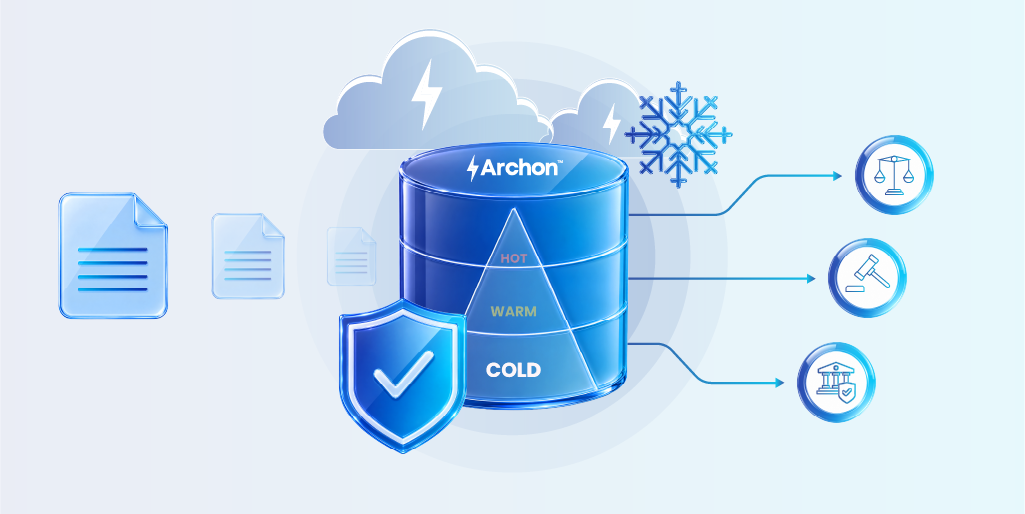
- Archon Data Store manages the full cold data lifecycle, keeping archived data immutable, searchable, and ready for audits or AI workloads.
- Classify before you store: the storage tier should be the last decision, not the first.
Cold data storage is a way of keeping data that is rarely accessed on low-cost, high-capacity storage instead of expensive primary systems. It is the standard answer to a growing problem: enterprise data keeps piling up, most of it is barely touched, and keeping all of it on fast storage is expensive.
That much is well understood. Here is what most enterprises get wrong.
They treat cold data storage as a single decision: find the cheapest tier, move the data, move on. But cold does not mean unimportant. A seven-year-old financial record is cold right up until an auditor asks for it. A decommissioned system’s transaction history is cold until a lawsuit makes it evidence. Old operational data is cold until an AI project needs it for training.
The moment cold data is needed and cannot be found, retrieved, or trusted, the storage savings stop mattering. This article explains what cold data storage actually is, how the hot-warm-cold model works, where native cloud tiers fall short, and why the smartest move is to decide governance before you decide storage.
What is Cold Data Storage?
Cold data storage is the practice of moving infrequently accessed data to lower-cost storage that trades retrieval speed for affordability. The data stays available if you need it, but you accept that getting it back may take minutes, hours, or longer.
“Cold” describes one thing: how often the data is accessed. It says nothing about how important the data is, how long you are legally required to keep it, or whether you will need it for analytics later. That distinction matters more than it sounds, and we will come back to it.
Common examples of cold data include:
- Historical financial records kept for tax or regulatory reasons
- Data from decommissioned or retired applications
- Completed project files and old engineering data
- Archived email and communications
- Compliance and audit records under multi-year retention
- Old backups and disaster recovery copies
The logic behind cold storage is sound. Keeping rarely used data on primary flash storage is wasteful when it could sit on cheaper media. The mistake is assuming the storage decision is the whole job. It is only the last step.
Hot, Warm, and Cold Data: The Storage Temperature Model
Storage “temperature” is a way of classifying data by how often it is accessed and how quickly you need it back. The hotter the data, the faster and more expensive the storage. The colder the data, the cheaper and slower.

Here is how the storage tiers break down:
- Hot data lives on high-performance storage because the business needs it instantly
- Warm data sits in the middle, accessed regularly but not frequently enough to justify premium storage costs
- Cool data is accessed occasionally, perhaps quarterly, and typically lives on cloud infrequent-access tiers where retrieval takes minutes rather than milliseconds
- Cold data is the largest category in most enterprises and the one that creates the most confusion
The reason for the confusion is simple. The temperature model describes access behavior. It does not describe obligation. Two cold datasets can have identical access patterns and completely different legal, compliance, and business requirements. Treating them the same way because they are both “cold” is where the trouble starts.
| Tier | Access frequency | Retrieval speed | Typical use |
|---|---|---|---|
| Hot | Daily or constant | Milliseconds | Live applications, active transactions, current records |
| Warm | Weekly to monthly | Seconds | Recent reports, active projects, prior-quarter data |
| Cool | Quarterly | Minutes to hours | Completed projects, older log archives, prior-year data |
| Cold | Rarely or never | Hours to days | Compliance archives, decommissioned system data, historical records |
Why Cold Data Storage Matters More Than Ever
Three forces are making cold data a bigger problem every year.
Data volumes keep climbing
Enterprise data grows relentlessly, and the majority of it goes cold within months. Industry research consistently finds that more than half of stored enterprise data is “dark,” meaning it is kept but never used. Gartner’s analysts have put the range even higher, estimating that 55% to over 80% of stored business data is dark.
Storage costs are under scrutiny
Keeping cold data on primary storage is expensive, and finance teams have noticed. This is the most common reason enterprises adopt cold storage in the first place, and it is a legitimate one.
Compliance obligations do not expire when data goes cold
Retention rules under regulations such as SOX, GDPR, and sector-specific mandates apply regardless of how often you touch the data. A record under a seven-year retention requirement must be retrievable for seven years, whether or not anyone ever looks at it.
🌟 The first two forces push enterprises toward the cheapest possible storage. The third force is the one that cheap storage alone cannot satisfy. That tension is the heart of the cold data problem.

Run the numbers before the next audit lands.
The Legacy Application Decommissioning Playbook walks you through the TACO model, retention obligations, and a board-ready business case framework.
Cold Data Storage is a Classification Decision, Not Just a Storage Decision
When data goes cold, most enterprises ask one question: where is the cheapest place to put it? They label the data cold, move it to a low-cost tier, and consider the job done.
The problem is that they answered the storage question without answering the governance question first. And the governance question is the one that determines whether the data is actually safe to move.
Before you decide where cold data goes, you need to know:
Does this data have a retention schedule?
If a regulation requires you to keep it for a defined period, the storage choice has to support that, including the ability to prove the data has not been altered.
Could it be subject to legal hold?
If litigation is possible, the data must be preservable and retrievable on demand, not buried in a tier that takes two days to read.
Will it be needed for analytics or AI?
Historical data is increasingly valuable for training models and running long-range analysis. Data dumped into an unsearchable archive is effectively lost to those workloads.
What is the acceptable retrieval time?
An auditor or regulator asking for records does not wait 48 hours patiently. Retrieval speed is a compliance requirement, not just a convenience.

🌟 When you answer these questions first, the storage decision becomes obvious and safe. When you skip them, you create a problem that stays invisible until the worst possible moment: an audit, a lawsuit, or a stalled AI initiative.
Classification is the first decision. Storage is the last one.
How Cold Data Storage Works: The Data Lifecycle
Cold data is not a place data goes to be forgotten. In a well-run environment, it is one stage in a governed lifecycle.

Here is how the lifecycle should run:
- Data becomes inactive: Access frequency drops as data ages or its source system is retired.
- Classification trigger: The data is identified as cold and tagged. This is the point most enterprises treat as the end. It should be the beginning.
- Governance assessment: Retention rules, legal hold potential, and future analytics value are evaluated.
- Storage and archive treatment assigned: Based on the assessment, the data goes to plain cold storage or to a governed archive that enforces policy.
- Retrieval SLA defined: The business sets how fast the data must come back when needed.
- Retention enforced: The data is kept for its required period and protected from tampering or premature deletion.
- Disposition or legal hold: At end of life, the data is defensibly deleted, or placed on hold if litigation requires it.
The difference between a cold storage tier and a governed archive shows up at steps three through seven. Plain cold storage handles step four and stops. Everything after it, the parts that actually keep you compliant and your data usable, is left undone.
What Native Cloud Cold Storage Tiers Do Not Do
Cloud providers offer cold storage tiers that are genuinely cheap. Amazon S3 Glacier Deep Archive, for example, costs about $0.00099 per GB per month, compared with roughly $0.023 per GB per month for S3 Standard. That is around a 23x difference, which makes the cost appeal obvious. Storing a petabyte in Deep Archive runs a little over $1,000 a month.
The catch is everything the price does not include:
Retrieval is slow and can be costly
Pulling data back from Glacier Deep Archive can take 12 to 48 hours, and large retrievals carry per-gigabyte fees. For a disaster recovery archive, you hope never to touch, that is fine. For records an auditor or court can demand on short notice; it is a serious problem.
There is no retention enforcement
A storage tier holds bytes. It does not know that a record must be kept for seven years and protected from deletion or change. That policy has to come from somewhere else.
There is no legal hold capability
If litigation requires you to preserve specific data, a raw storage tier gives you no native way to lock it, prove it is unchanged, or demonstrate chain of custody.
There is no metadata or search
Data goes in as opaque objects. When you need to find specific records across millions of files, there is no index, no cross-application search, and no easy way to know what you even have.
➡️ None of this means cloud cold tiers are bad. They are good at exactly one thing: storing bytes cheaply. The mistake is assuming that storing bytes cheaply is the same as archiving data responsibly. It is not.
| Capability | Native cold storage tier | Governed archive |
|---|---|---|
| Low storage cost | Yes | Yes |
| Fast, predictable retrieval | No (hours to days) | Yes (defined SLA) |
| Retention policy enforcement | No | Yes |
| Legal hold and chain of custody | No | Yes |
| Metadata and cross-application search | No | Yes |
| Immutability (WORM) | Limited or manual | Built in |
| Analytics and AI readiness | No | Yes |
Native cold tiers store bytes cheaply. Archon Data Store governs them.
Cold Data Challenges Enterprises Consistently Underestimate
Even teams that adopt cold storage run into the same recurring problems.
- Retrieval latency hits at the worst time. Cheap tiers are optimized for storage, not access. When a deadline-driven request arrives, a multi-hour or multi-day retrieval window turns a routine task into a crisis.
- Data integrity degrades quietly. Data kept for years can suffer silent corruption. Without integrity checks, hashing, and verification, you may not discover a problem until you try to use the data and find it damaged.
- Ungoverned cold storage becomes an eDiscovery liability. If you cannot quickly identify, search, and produce relevant records, cold storage shifts from a cost saving to a legal risk.
- Metadata gets stripped on the way down. When data is dumped into cheap object storage, the context that made it useful, who created it, when, under what system, often gets lost. The data survives; its meaning does not.
- “Cold” gets treated as “done.” The most expensive mistake is assuming cold data needs no further management. It does. It needs the same governance as any other regulated or valuable data, just on different infrastructure.
Running Analytics and AI On Cold Data
For years, cold data was something you stored and ignored. That assumption is breaking down.
Enterprises now want to run analytics on historical data, and AI initiatives need large volumes of past data for training and context. Five years of transaction history, archived operational records, retired-system data: this is exactly the material that powers useful models and long-range analysis.
The problem is that data sitting in a traditional cold tier is not ready for any of that. It is unindexed, unsearchable, slow to retrieve, and often stripped of the metadata that would make it usable. To run analytics on it, you first have to pull it out, re-process it, and re-structure it, which is slow and expensive.
This is where a Lakehouse-native approach changes the picture. When cold data is archived in an open, queryable format with its metadata intact, it stays available for analytics and AI without a separate re-platforming project. The data is both cheap to keep and ready to use. That combination is not possible with a plain storage tier, and it is becoming one of the strongest reasons to choose a governed archive over raw cold storage.
Building an AI or analytics pipeline on historical data? See how to analyze archived data without re-platforming.
Cold Data Storage Best Practices
If you are responsible for cold data, these practices keep it cheap to store and safe to keep.
- Classify before you store. Decide retention, legal hold potential, and analytics value first. Let that drive the storage choice, not the other way around.
- Tag and preserve metadata. Keep the context that makes data findable and usable. Metadata is what separates a searchable archive from a digital landfill.
- Enforce retention policy automatically. Manual retention does not scale and does not hold up under audit. Use policy-driven enforcement.
- Make data immutable where required. For regulated records, write-once-read-many (WORM) protection and cryptographic verification prove the data has not been altered.
- Define retrieval SLAs by data type. Know how fast each category of cold data must come back, and choose infrastructure that can meet it.
- Run regular integrity checks. Verify long-stored data periodically so corruption is caught early, not at the moment of need.
- Keep cold data queryable. Store it in open, analytics-ready formats so it stays useful for future AI and reporting workloads.
These practices are the difference between cold data that is an asset and cold data that is a liability waiting to surface.
How Archon Handles Cold Data The Right Way
Archon Data Store (ADS) is built on the principle this article has been making: storage is the last decision, and governance comes first.
ADS is a Lakehouse-native archive that manages the full cold data lifecycle in one platform. Instead of choosing between cheap storage and proper governance, you get both.
- Policy-driven retention keeps every record for exactly as long as it is required, and no longer.
- WORM immutability, cryptographic hashing, and trusted timestamps make archived data tamper-evident and defensible.
- Legal hold orchestration lets you preserve and prove chain of custody on demand.
- Cross-application search and intact metadata mean you can find any record across systems, even after the source application is gone.
- Defined retrieval SLAs replace the open-ended waits of raw cold tiers.
- Lakehouse-native, open formats keep your archived data queryable and ready for analytics and AI, with no re-platforming.
The data discovery and tagging that classification depends on can be handled with tooling like Archon Analyzer, so cold data is identified and classified accurately before it is archived. The result is cold data that stays cheap to hold, safe to keep, and ready to use.
Cold data does not stop having obligations the moment it leaves your active system. It carries retention schedules, legal hold potential, and future analytics value whether you manage those things or not. The only difference is whether you find that out on your terms or under pressure from an auditor, a court, or a stalled AI initiative. A governed archive makes sure it is always the former.
Stop treating cold data as bytes to forget. See how Archon Data Store keeps it governed, searchable, and audit-ready. Book a demo →


