


Key Points:
- Data center decommissioning is primarily a data governance exercise. Most project delays happen because data retention and disposition planning started too late.
- Enterprise decommissions are governed by overlapping retention obligations, including SOX, HIPAA, GDPR, PCI DSS, and SEC recordkeeping requirements.
- A successful decommission runs three workstreams together: workload migration, historical data archiving, and certified hardware disposal.
- NIST SP 800-88 Rev. 1 defines the industry-standard sanitisation methods — Clear, Purge, and Destroy — required before infrastructure disposal.
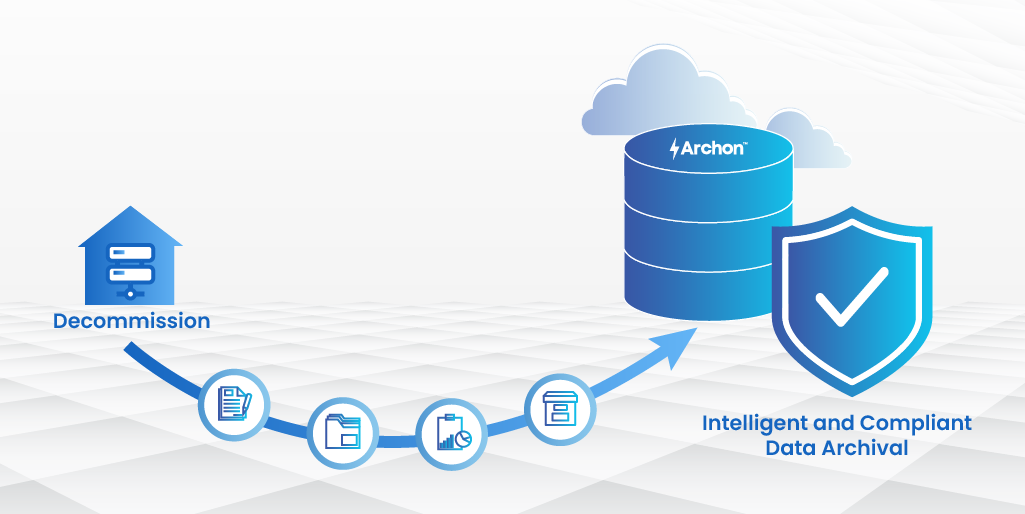
- Archon helps enterprises archive historical data from retiring systems while preserving compliance access, audit readiness, and legal hold support.
The shutdown order is signed. The lease expires in 90 days. The facilities manager has a decommissioning team on standby. And someone in the legal department just asked a question no one has the answer to: which of those servers holds financial records the organization is required to keep for seven years?
This is the moment most data center decommissioning projects get expensive. The hardware timeline was planned to the week. The data timeline was an afterthought.
Data center decommissioning is the structured retirement of physical computing infrastructure, including servers, storage, networking equipment, power systems, and the facilities housing them, while satisfying all legal, regulatory, and operational obligations attached to the systems being closed.
Done correctly, it draws a clean line under a chapter of IT history. Done incorrectly, it moves compliance exposure underground, where it compounds until a regulator, litigant, or auditor surfaces it.
This guide covers the complete process: what decommissioning actually involves at the data layer, the six-phase execution model that separates successful projects from failed ones, the compliance requirements governing each data category, and the mistakes that routinely transform routine shutdowns into long-running liability problems.
What Is Data Center Decommissioning?
At its core, data center decommissioning is about closing an entire computing environment cleanly, not just shutting down infrastructure, but resolving the legal, operational, and data obligations tied to the systems being retired.
The term is often used interchangeably with server decommission and infrastructure retirement, but the scope matters. Decommissioning a data center is not the same as migrating a workload to the cloud. A cloud migration moves the application. Data center decommissioning closes the environment that hosted it and resolves everything the migration left behind.
How decommissioning differs from workload migration
Workload migration moves active, running systems to new infrastructure. It addresses what needs to keep running. Data center decommissioning addresses everything migration leaves behind: historical data in systems not worth migrating, hardware with no destination, and obligations tied to data created years or decades ago.
A CIO who has completed a successful cloud migration still has a decommissioning problem. The legacy environment that ran the business for the past decade has not disappeared. It stopped receiving new workloads. It still holds data. It still costs money to run. Until that environment is closed cleanly, the migration is not genuinely complete.
The data layer problem most decommissioning projects miss
Most decommissioning plans address three things: hardware inventory, workload migration schedules, and physical facility handover. They do not address what happens to data stored in systems that were never migrated, not because anyone forgot, but because no one could justify the cost of migrating historical records that nobody actively uses.
This is the gap that creates the liability. Data archiving, the structured preservation of historical data in a governed, compliant, and queryable form, is the step that converts a hardware retirement into a genuine decommission.
Without it, the data stays on unsupported hardware maintained at cost, gets deleted without documentation, or disappears into a disposal process that was never designed to satisfy a legal hold.
When and Why Data Centers Get Decommissioned
Decommissioning is rarely a standalone decision. It is triggered by a business event and the nature of that trigger determines how much time the organization has to resolve its data obligations properly.
Cloud migration and infrastructure consolidation
The migration of enterprise workloads to cloud platforms such as AWS, Azure, Google Cloud, Oracle Cloud Infrastructure is the most common current trigger for data center decommissions. Enterprises that scaled cloud migrations between 2018 and 2022 are now reaching the point where on-premises footprints are small enough to retire entirely.
Cloud migrations typically complete in phases: an initial wave of straightforward lift-and-shift workloads, a second wave of refactored applications, and a persistent long tail of legacy systems that were never migrated because cost or complexity exceeded their operational value.
Data center decommissioning addresses that long tail. The application may not be worth migrating. The data it holds almost certainly still carries retention obligations.
Lease expiry and facilities rationalization
Fixed-term co-location agreements, particularly 5- and 10-year leases, create hard decommissioning deadlines. When a lease expires, the organization must move or close. Deadline-driven decommissions carry the highest risk because they compress the timeline, frequently leaving insufficient time for a structured data disposition process.
Organizations that own their facilities face a slower but equally real version of the same pressure. The capital and operating costs of underutilized infrastructure, including power, cooling, physical security, staffing, create strong economic pressure to consolidate. Closing a facility generates immediate savings. But only if the data that was in it has been properly handled first.
Mergers, acquisitions, and carve-outs
M&A activity generates some of the most complex decommissioning scenarios. In a merger, two infrastructure environments must be rationalized into one. In a divestiture or carve-out, a portion of the infrastructure must be separated from the parent and either transferred to the buyer or shut down.
Both require careful resolution of which data belongs to which entity, which regulatory obligations transfer with the data, and which systems must remain accessible to both parties during the transition period.
Planning a data center consolidation, cloud exit, or M&A-driven shutdown? to see how Archon structures the archiving step.
The 6-Step Data Center Decommissioning Process
Successful decommissioning projects follow a structured sequence. Skipping or compressing any phase transfers the risk forward, where it resurfaces at higher cost and under more time pressure.

Step 1: Infrastructure Audit and Asset Inventory
The first step is an accurate, complete picture of what is being decommissioned. This means identifying every physical asset, including server, storage device, networking hardware, UPS unit, cabling infrastructure, and every logical system: operating systems, applications, databases, and virtual machines within scope.
Many organizations discover during this audit that their asset registers are significantly out of date. Systems installed as temporary become permanent over years. Servers running a single undocumented function.
Storage arrays holding data from applications retired five years ago. A rigorous audit surfaces all of it. The output is an asset register linked to each system’s current operational state: active, idle, or dark.
Step 2: Data Classification and Disposition Planning
For every system identified in the audit, the disposition question must be answered: what happens to the data? The answer falls into four categories.
Migrate: Active data from live workloads moves with the application to its new environment.
Archive: Historical data with a retention obligation, including financial records, HR data, audit logs, operational records, moves to a structured archive where it remains accessible, governed, and compliant for the required retention period.
Delete: Data with no current value and no retention obligation can be removed, provided deletion is documented, authorized, and executed against the applicable sanitisation standard.
Unclear: Data whose disposition cannot be immediately determined. This category must be empty by the end of this step. Unresolved data here will delay every subsequent phase.
Step 3: Application Dependency Mapping
Before any system is powered down, its dependencies must be mapped. Systems that appear idle frequently have active connections from other systems: scheduled processes pulling data, reporting tools querying historical tables, audit functions accessing records from legacy databases.
Mapping these dependencies before shutdown prevents the scenario, more common than most organizations admit, where a decommissioned system is quietly powered back on three weeks after shutdown because something broke that nobody anticipated. This step produces a dependency map showing every in-scope system, every system it connects to, and the nature of each connection.
Step 4: Data Archiving and Workload Migration
This is where disposition decisions from Step 2 are executed. Active workloads move to their destination environments. Historical data moves to a structured, governed archive.
Archiving is not copying data to a network share and labelling the folder. A compliant archive preserves data in a format satisfying the applicable retention standard, maintains the metadata necessary to prove chain of custody, enables authorized queries and legal hold production, and operates independently of the original application.
This distinction matters: regulatory and legal proceedings require not just the data, but proof of where it came from, what format it was in, and who had access to it.
Step 5: Secure Hardware Disposal
Once data has been migrated, archived, or documented for deletion, hardware disposal can begin. NIST SP 800-88 Rev. 1 defines three media sanitisation categories: Clear (overwriting to prevent simple recovery), Purge (advanced techniques preventing recovery even with laboratory-grade equipment), and Destroy (physical destruction making recovery impossible).
The required category depends on the sensitivity of the data the hardware held and the type of storage media. Hardware that held regulated or personally identifiable data requires a higher sanitisation category than hardware that held only public-facing workloads.
Chain of custody documentation tracking each asset from power-down through sanitisation and final disposal is the evidence an audit or regulatory inquiry would require.
Step 6: Compliance Documentation and Sign-Off
The decommission is not complete when the last server is powered down. It is complete when documentation is in place proving that the process was executed correctly, that every data asset was handled in accordance with its retention obligation, and that every piece of hardware was disposed of through a process satisfying the applicable standard.
This package includes: the final asset inventory with disposition records for every item, the data classification register with the retention decision and approver for each dataset, archive confirmation records showing what was archived and when, hardware sanitisation certificates from the disposal vendor, and a project sign-off record countersigned by legal, compliance, and IT leadership. This package is the evidence that genuinely closes the project.
Data Compliance Requirements Before You Power Down
Every data category in a decommissioning scope carries a retention obligation set by one or more regulations. The table below covers primary requirements most enterprises encounter. This is not exhaustive, industry-specific regulations and state-level privacy laws add additional layers that must be assessed for every organization and jurisdiction.
| Data Category | Regulation | Retention | Key Requirement |
|---|---|---|---|
| Financial / Audit Records | SOX Section 802 | 7 years | Records related to audits must be retained; intentional destruction may constitute criminal obstruction under Sarbanes-Oxley |
| Tax Records | IRC Section 6501 | Typically 3–7 years, depending on record type and audit circumstances | Organizations commonly retain tax records for up to 7 years to satisfy audit, assessment, and financial documentation requirements |
| Healthcare / PHI Records | HIPAA 45 CFR §164.530(j) | 6 years minimum | Covered entity documentation; state law often extends to 10+ years for patient medical records |
| EU Personal Data | GDPR Article 5(1)(e) | No longer than necessary | Active deletion obligation when no legitimate retention purpose remains; documented legal basis required for any continued processing |
| Electronic Pharma Records | FDA 21 CFR Part 11 | 2–10+ years by type | Electronic records and audit trails must meet traceability, integrity, and accessibility requirements throughout the retention period |
| Employee / HR Records | FLSA / EEOC regulations | 3–7 years | Payroll, I-9, and benefit plan records carry different schedules; state law frequently extends federal minimums |
| Payment Card Data | PCI DSS Requirement 3.2.1 | Retention limited to legitimate business and legal requirements | Sensitive authentication data must never be retained after authorization; cardholder data retention must be formally governed, justified, and documented |
| Broker-Dealer Records | SEC Rule 17a-4 / FINRA 4511 | 6 years (most records) | WORM-compliant storage required; records must be immediately producible during a regulatory examination |
Where regulations conflict, for example, where GDPR requires deletion and SOX requires retention of the same record, organizations must document the lawful basis permitting continued retention, including statutory, regulatory, audit, or legal hold obligations that override standard deletion timelines.
Common Data Center Decommissioning Mistakes
Starting the hardware timeline before the data timeline
The most common decommissioning mistake is treating hardware retirement as the primary schedule driver. Facilities and procurement teams plan to the lease date. IT schedules hardware removal. The data question gets whatever time is left over.
Data disposition frequently takes longer than the hardware work. Identifying data owners, confirming retention obligations, selecting an archiving solution, executing the archive, and validating the result are each multi-week activities.
Compressing them into the final weeks of a project produces exactly the result the organization is trying to avoid: rushed decisions about data that will carry compliance obligations for years after the hardware is gone.
Treating deletion as the default for unrecognized data
When teams encounter data they cannot immediately classify, project pressure often leads to a dangerous default: if we do not know what it is, it probably does not matter. This logic fails regularly.
Historical data from a system whose original business owner has left the organization is common. So are operational records from a process retired years ago whose data still carries a regulatory obligation.
The correct response to unclassified data is not deletion, it is escalation to legal and compliance for an explicit, documented disposition decision. Documentation of that decision protects the organization regardless of the outcome.
Confusing backup with archive
Organizations sometimes complete a decommissioning project believing that because backup tapes or snapshots exist, the data is preserved and accessible. Backup and archive are not the same thing.
A backup is a recovery mechanism. It restores systems to a prior operational state in the event of failure. It is not a compliance tool, does not provide query access to individual records, and is not designed to survive for the full retention period of regulated data.
An archive is a governed preservation environment: it preserves records with their original fidelity, metadata, and evidentiary integrity, provides search and retrieval for authorized users, supports legal hold without disrupting the underlying data, and operates independently of the application that created the records.
Using backup as archive creates a project that appears complete while leaving compliance obligations unresolved.
Failing to test archive retrieval before shutdown
Many organizations validate that data was archived but never validate whether it can actually be retrieved efficiently after the source application is retired. A compliant archive must support real-world retrieval scenarios: audit requests, legal discovery, HR investigations, and historical reporting queries.
Retrieval testing before shutdown confirms that records remain usable, searchable, and complete once the production system no longer exists.
How Archon Data Store Supports Data Center Decommissioning
For enterprises going through data center decommissioning, the data archiving step, extracting historical records from retiring systems, preserving them in a governed format, and maintaining access for the full retention period, is consistently the step that determines whether the project closes cleanly or leaves obligations behind.
Archon Data Store is built to handle the full data complexity of an enterprise decommission. Its connector library spans the major enterprise platforms that generate the most complex historical data obligations: SAP ECC and S/4HANA, Oracle EBS, PeopleSoft, Microsoft Dynamics, Workday, ServiceNow, and dozens of additional source systems.
Data extracted through Archon retains its original structure, relationships, and metadata, making it producible in an audit, accessible for legal hold, and queryable by authorized users without requiring the original application to remain operational.
Archon also helps organizations reduce one of the biggest hidden costs in decommissioning projects: prolonged coexistence between retired and active environments.
In many enterprises, legacy systems remain online for years solely because historical records are still needed for audits, tax reviews, HR inquiries, or legal discovery. By centralizing archived data into an independent retention environment, Archon allows organizations to retire legacy applications earlier while preserving governed access to historical records.
The platform additionally supports policy-driven retention management, role-based access controls, audit logging, and legal hold workflows, helping organizations demonstrate defensible data governance long after the physical infrastructure has been shut down.
This becomes especially important during regulatory examinations and litigation scenarios where organizations must prove not only that records were preserved, but that access, integrity, and chain of custody remained controlled throughout the retention lifecycle.
For large enterprises managing multiple concurrent decommissioning programs, Archon also provides standardization across projects. Instead of creating separate archive approaches for each retiring application, organizations can apply a repeatable framework for extraction, retention, search, and compliance management across SAP, Oracle, HR, finance, and operational systems. That consistency significantly reduces governance complexity during multi-year infrastructure modernization initiatives.
The result is a decommissioning project that is complete in the regulatory sense, not just the operational one: every system retired, every data obligation resolved, and documentation in place to prove it.
Ready to close your data center without leaving compliance obligations behind?


