


TL&DR:
Enterprise SharePoint environments accumulate thousands of inactive sites, which drive storage costs, degrade performance, and increase compliance risk.
A structured SharePoint site archiving approach preserves the complete site record, including documents, lists, metadata, versions, permissions, workflows, and audit trails, while safely removing inactive sites from the live Microsoft 365 environment.
By archiving sites with full fidelity and controlled access, organizations can reduce storage costs, simplify migrations and modernization initiatives, and retain defensible, searchable historical records without incurring long-term operational overhead.
With a modern archiving solution, enterprises can confidently retire legacy sites, retain only what matters, and maintain a clean, well-governed Microsoft 365 environment as they scale.
Have you ever tried cleaning up SharePoint and suddenly wondered, “Where did all these sites even come from?”
Teams create workspaces, projects end; owners move on, and the sites remain. They accumulate documents, decisions, metadata, and years of history no one actively uses, but no one is confident enough to delete.
This slow, quiet buildup is how SharePoint site sprawl begins. As inactive sites pile up, storage costs rise, search becomes cluttered, and it gets harder to distinguish what’s still relevant.
Eventually, IT and compliance teams face the same concerns:
Can we safely delete these old sites?
Do they contain sensitive or regulated data?
Will someone need this information in the future?
And if we keep everything online, how do we control storage and governance at scale?
The challenge is that Microsoft 365 does not provide a complete, enterprise-grade way to archive an entire SharePoint site.
- Deleting the critical historical context?
- Backups aren’t searchable or usable for audits!
- Keeping everything online only increases cost and governance complexity.
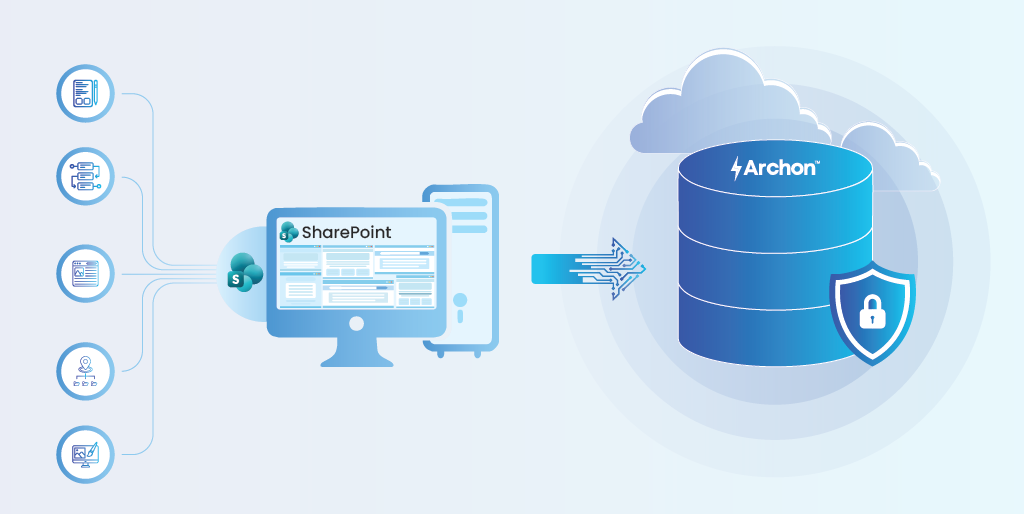
This is why organizations turn to structured SharePoint archiving, a method designed to preserve a site’s full story (documents, lists, metadata, permissions, versions, workflows, and audit trails) without keeping inactive sites inside the live system.
In this guide, you’ll learn why archiving is essential, what a complete archive includes, how various archiving methods compare, and how an enterprise-ready archival framework works in practice. You’ll also see how modern automation makes archiving predictable, defensible, and scalable.
Your SharePoint site archive journey starts here.
Why Archive Instead of Delete?
Deleting an inactive SharePoint site feels fast and tidy. But when you hit delete, you erase more than files: you lose version history, lists and their relationships, permissions and inheritance, workflow outputs, Teams-linked artifacts, audit trails, and the site configuration that explains how people worked. Those details are evidence that auditors, legal teams, and future colleagues rely on.
Deleting removes context, and context matters. Over 70% of eDiscovery requests in Microsoft 365 target sites that are no longer active. So, the “quick cleanup” can create long-term risks.
Archiving gives you a different choice. It retires the SharePoint site from the live system while preserving full fidelity, including documents with versions, lists, metadata, permission maps, workflows, and audit logs, so you retain the truth without the clutter. That makes migrations, team consolidations, and audits far safer and less costly.
How Legal Holds Interact with SharePoint Site Archiving
Before decommissioning any SharePoint site, organizations must account for active legal holds and regulatory preservation requirements. If a site or specific items are under legal hold, they cannot be permanently deleted until the hold is released.
A proper archiving framework respects this reality by:
- Detecting legal-hold status during discovery
- Preventing deletion of held content
- Preserving hold-related metadata alongside archived records
- Maintaining chain-of-custody evidence even after the active site is retired
What Gets Archived from a SharePoint Site?
Archiving a SharePoint site is not about saving a folder of documents. It is about preserving the entire working identity of the site.
A complete archive includes:
- Document libraries: Files, folder structures, and full version history.
- Lists and list data: Items, attachments, field values, and lookup relationships.
- Pages and web parts: Site pages, navigation, and information layout.
- Metadata and content types: Columns, tags, custom fields, and classification data.
- Permissions and groups: Access models, inheritance, and role assignments.
- Audit and activity context: Available sharing and access events within Microsoft’s retention window.
- Site configuration: Templates, taxonomy links, navigation, and structural settings.
Without these elements, historical data loses meaning and evidentiary value.
How do Organizations typically Archive SharePoint Sites?
When it’s time to clean up old SharePoint sites, organizations typically opt for the method that feels quickest. But each approach preserves a different amount of context, and each comes with trade-offs that become very obvious during audits, migrations, or legal reviews.
- Backups recover systems.
- Archives preserve history.
- Retention governs deletion.
They are not interchangeable.
1. Export and Store: The Quick Fix That Creates Hidden Risks
Most IT/operational teams start here. Someone downloads document libraries, lists contents, or entire site assets, and drops them into a file to share or an object storage bucket. It seems practical and feels safe. But in reality, you’ve only captured the surface layer of the site.
Pros
- Simple and requires no special tools
- Removes content from SharePoint, reducing immediate storage usage
- Works for small, low-risk sites with minimal regulatory value
Cons
- Metadata doesn’t survive properly, lookup fields break, and content types collapse
- Version history is lost, flattening decades of changes into a single file
- Lists become CSVs with no relationships or structure
- Permissions disappear, making governance and audit reconstruction impossible
- Pages, web parts, workflows, and audit logs are never captured
2. Backups and Retention Tools: Reliable for Recovery, Not for Archiving
IT teams often rely on SharePoint’s native backup capabilities or third-party backup software. Backups are excellent when the goal is disaster recovery, getting a site back exactly as it was.
Pros
- Captures a full snapshot of the site
- Good for disaster recovery or accidental deletion
- Maintains structural fidelity if fully restored
- Requires minimal operational effort once configured
Cons
- Not actionable for retention or compliance workflows
- Cannot extract metadata or version history into a usable archive
- Increases restoration overhead during audits or legal requests
3. Dedicated SharePoint Archiving Platforms: The Modern, Enterprise-Ready Approach
This is where organizations finally get archiving control. Tools like Archon Data Store (ADS) approach SharePoint extraction very differently. Instead of copying files or taking snapshots, they perform a structured, full-fidelity extraction of the entire site.
What they capture:
- Metadata and content types
- Version history
- List structures and lookup relationships
- Permissions and group mappings
- Pages, web parts, and site configuration
- Audit logs and activity trails
- Workflow definitions and, when supported, execution history
Everything is then stored in a searchable archive that remains available long after the original site is removed from SharePoint.
Pros
- Maintains complete site contexts like documents, lists, structure, and permissions
- Searchable and user-friendly, no need to restore entire sites
- Supports retention, legal hold, eDiscovery, and audit trails
- Reduces M365 storage costs by offloading inactive sites
- Scales for user cleanups, M&A consolidation, and modernization projects
- Creates a defensible archive suitable for compliance and long-term governance
Cons
- Requires a dedicated platform investment
- Initial setup and configuration take planning
- Extraction of very large or complex sites may require orchestration or ETL workflows
Also Read: 10 Best Data Archiving Solutions & Software: What to Look for in 2026
Practical Use Cases – Where SharePoint Site Archiving Delivers Real Value
SharePoint archiving isn’t something you do casually. It usually becomes a priority when a large operational change, compliance requirement, or structural challenge makes it impossible to continue carrying years of inactive sites inside the organization. Here’s where archiving delivers meaningful value:
1. M&A Consolidation
Challenge
During mergers and acquisitions, SharePoint environments collide. Suddenly, you’re looking at overlapping sites, conflicting structures, duplicate content, and no clear ownership. Integration teams need clarity, while legal teams need historical visibility, but keeping both environments is expensive and risky.
Solution
Archive legacy and redundant sites with full fidelity. Capture documents, lists, permissions, metadata, and audit trails in an immutable, searchable repository outside the live user.
Outcome
- Clean, unified SharePoint environment post-merger
- Defensible access to historical data for audits and investigations
- Reduced operational and storage overhead
2. Migration Readiness
Challenge
Large Microsoft 365 migrations often stall because of inactive or outdated sites, inflating migration size. Deleting them creates compliance gaps but migrating everything increases the cost and timeline.
Solution
Archive non-essential and inactive sites before the migration begins. Only current, business-critical content moves to the new users; everything else remains preserved and fully accessible in the archive.
Outcome
- Clean, unified SharePoint environment post-merger
- Defensible access to historical data for audits and investigations
- Reduced operational and storage overhead
3. Classic → Modern SharePoint Modernization
Challenge
Classic SharePoint sites carry outdated templates, legacy workflows, unsupported customizations, and nested structures that break during modernization. Rebuilding them is time-consuming and keeping them active delays the adoption of modern experience.
Solution
Archive classic sites in their entirety, retaining structure, metadata, and historical context. Retire them safely so modernization teams can focus on building a streamlined, cloud-optimized workspace.
Outcome
- Smaller, faster, lower-risk migration scope
- Reduced licensing, storage, and migration costs
- Clean target environment without legacy clutter
4. Long-Term Compliance & Audit Access
Challenge
Regulated industries often need to access records from projects or sites that were closed years ago. Keeping these SharePoint sites online strains storage and governance but deleting them jeopardizes compliance.
Solution
Archive sites in an immutable, audit-ready format that preserves version history, permissions, workflows, and metadata. Provide secure, read-only access for legal, audit, and compliance teams.
Outcome
- Defensible long-term compliance without keeping legacy sites online
- Audit-ready access to complete, preserved records
- Continued access to historical content for audit or reference
5. Storage Optimization
Challenge
SharePoint storage grows rapidly, especially with Teams auto-creating a site for every group and channel. Inactive libraries and version-heavy sites push the system toward storage overages and performance strain.
Solution
Identify inactive or aging sites and archive them to low-cost storage tiers. Remove them from the live system while maintaining access to historical content when needed.
Outcome
- Significant reduction in SharePoint storage costs
- Reclaimed Microsoft 365 capacity
- Improved performance for active collaboration sites
6. Cleanup of Inactive, Orphaned, or Legacy Sites
Challenge
Over time, organizations accumulate thousands of sites with no clear owner, no recent activity, or no business purpose. These cluttered search results complicate governance and increase compliance risk.
Solution
Archive these sites using a governed, defensible workflow that captures their full context. Retire them safely without risking data loss or audit issues.
Outcome
- Eliminate compliance risk tied to orphaned SharePoint sites
- Simplify governance and audit discovery
- Retire legacy sites with defensible, policy-backed proof
Step-by-Step Framework to Archive a SharePoint Site
A scalable SharePoint site archiving process must ensure fidelity, integrity, enterprise compliance alignment, and long-term accessibility. The following technical workflow represents the sequence most enterprise archiving programs follow.

Step 1 – Connect & Inventory (Discovery Phase)
A secure OAuth connection is used to scan the selected SharePoint site(s) and capture structure, content volumes, versions, age, and permission models. It defines archival scope and flags risks such as oversized lists, broken inheritance, orphaned items, and inactive workflows.
Step 2 – Classify & Tag Content
Automated classification analyzes content types, metadata, and patterns to detect PII/PHI and regulatory relevance. Classification tags are applied to drive retention, storage tiering, and post-archive handling, ensuring governance is enforced before extraction begins.
Step 3 – Configure Archival Rules & Retention Strategy
Before extraction, governance rules define how each site and item will be archived. These include retention models (indefinite, event-based, fixed-date, or duration-based), post-archive actions (retain original, delete, stub with metadata, or stub without versions), storage tier selection (hot, cool, cold, immutable, encrypted), policy overrides, and chain-of-custody requirements.
Step 4 – Full-Fidelity Extraction & Validation
All content: versions, metadata, permissions, and site structure are extracted and validated. Manifests, checksums, and timestamps provide evidence of completeness and audit defensibility.
Step 5 – Normalize, Ingest & Index
Extracted data is standardized into an archive-ready structure to ensure long-term consistency, security, and fast retrieval. The content is then indexed for full-text and metadata search, creating a compliant archive optimized for auditability and performance.
Step 6 – Enable Read-Only Access & Audit Controls
Archived content is made available through a secure, read-only interface with role-based access, search, preview, and controlled export capabilities. For legal, compliance, and regulatory purposes, all actions are logged, making the archive easily discoverable.
Step 7 – Site Decommissioning or Migration Prep
After validating archive completeness and chain of custody, the original SharePoint site is placed in read-only mode and safely retired from Microsoft 365. This enables defensible site decommissioning, lowers data migration risk, and reduces production sprawl by archiving inactive sites first.

SharePoint Archiving: A Step-by-Step Implementation
Learn how SharePoint data can be archived into the Archon Data Store using Archon ETL to enforce retention, immutability, and auditable access controls.
How Archon Automates SharePoint Site Archiving
Large-scale SharePoint cleanup is not a simple exercise of copying files and moving on. A defensible approach requires preserving the entire site context, such as documents, lists, libraries, metadata, versions, permissions, workflows, and audit trails, while safely removing inactive sites from the live SharePoint environment.
Archon is purpose-built to archive both structured and unstructured SharePoint data at scale, without loss of integrity or context. It automates SharePoint site archiving by identifying inactive sites and preserving their full working identity.
- Archon Analyzer: Discovers and classifies structured and unstructured site content.
- Archon ETL: Extracts complete site context with full fidelity.
- Archon Data Store: Preserves archived sites securely, enabling safe removal from Microsoft 365 governed access.

Archon Analyzer – Discovery, Classification & Governance Readiness
Before archiving a SharePoint site, Archon Analyzer makes it fully visible and ready. What Archon Analyzer does:
- Secure, site-scoped analysis using OAuth and Microsoft Graph APIs
- Deep site discovery across content, metadata, versions, and permissions
- Intelligent classification using AI, metadata, and pattern-based rules
- Pre-extraction readiness with risk identification and validation
- Governance insights to surface hidden issues before application decommissioning
Result: Faster, safer SharePoint archiving with no blind spots.
Archon ETL – Full-Fidelity Extraction, Validation & Routing
After discovery and classification, execution is where risk appears. Archon ETL extracts complete SharePoint sites without losing structure, metadata, or relationships.
What Archon ETL Does:
- Configurable Archival Rules: Define retention, storage tier, extraction scope, post-archive actions, and classification-driven routing for sensitive data.
- Full-Fidelity Extraction: Documents contain versions, lists, metadata, permissions, site structure, and audit activity, as well as transcription, redaction, and metadata normalization.
- Validation & Chain of Custody: Verifies integrity and completeness using checksums, reconciliation, and audit-ready extraction manifests with full lineage tracking.
- Resilient Execution: Automatically handles API throttling, large libraries, deep hierarchies, version sprawl, and broken dependencies.
Archon Data Store – Long-Term Storage, Indexing & Secure Access
Once extracted and validated, the archive lands in Archon Data Store, a high-performance environment engineered for compliance-grade retention. ADS preserves the complete working identity of the SharePoint site, not just individual files. The original structure is reconstructed exactly as it existed:
Site → Library → Folder → Nested Folders → Item → Versions
Here’s how ADS works:
1. Data Normalization & Compaction (Core Engine)
- Deduplicates redundant data across version-heavy libraries
- Optimizes file versions without losing fidelity
- Normalizes metadata, content types, and lookups
- Cleans legacy schema and orphaned fields
2. Immutable, WORM-Ready Storage Enforcement
- WORM-compliant storage backing for regulated workloads
- Automated application of retention and legal-hold policies
- Tamper-proof chain-of-custody controls
- Cryptographic integrity validation across storage tiers
3. High-Performance Indexing & Search Layer
- Full-text indexing across documents, pages, and unstructured content
- Schema-aware indexing for lists, lookups, and complex SharePoint objects
- Hierarchical navigation that mirrors the original site structure
- Query performance optimized for large-scale archives
4. Secure Access & Forensic-Ready Controls
- Role-Based Access Control (RBAC) with least-privilege enforcement
- Read-only access to preserve data integrity
- Optional redacted previews for sensitive or regulated content
- Complete audit logs for all search, view, and export actions
5. Export & Restore Options for Downstream Use
- Export content in original formats or as PDF, CSV, or JSON
- Support domain-level exports for eDiscovery and regulatory requests
- Enable optional restore to SharePoint or downstream systems
- Provide APIs for analytics, compliance, and automation workflows
Making SharePoint Site Archiving a Strategic Advantage
As SharePoint environments mature, the volume of inactive sites inevitably grows. These sites still carry business decisions, approvals, and regulated records, even though they no longer belong in day-to-day collaboration. Treating them as either disposable or permanently active creates unnecessary risk at scale.
Enterprise-grade SharePoint archiving resolves this tension. It enables organizations to retire inactive sites from Microsoft 365 while retaining their full structure, metadata, permissions, and audit history in a governed archive. The data remains accessible and defensible, without continuing to consume production of storage governance.
By separating active collaboration from long-term record preservation, organizations gain a cleaner SharePoint environment, predictable storage growth, and audit-ready historical access. This approach turns SharePoint site archiving into a sustainable part of the Microsoft 365 lifecycle, rather than an ongoing cleanup exercise.
Let SharePoint do what it does best. Let your archive do the rest.


