


TL:DR
Most enterprises now run most of their workloads on cloud databases for scalability, speed, and availability.
However, cloud databases are built for active data, not decades of history. As data accumulates, performance slows, costs rise, and compliance becomes harder to manage. Modern data archiving fills this gap by moving inactive data out of production systems while keeping it secure, searchable, and compliant.
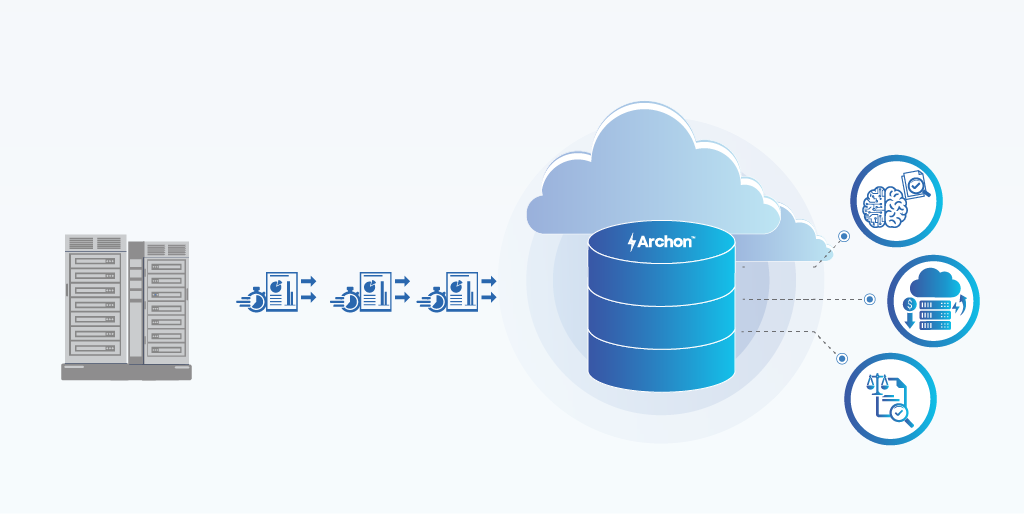
Archon improves database performance, reduces cloud storage and compute costs, simplifies migrations, and ensures regulatory readiness. Archon strengthens cloud database management by keeping cloud environments lean, cost-efficient, compliant, and future-ready.
Enterprises have now run around 80% of workloads in cloud environments to gain scalability, agility, and global accessibility. From customer transactions and financial systems to analytics and AI pipelines, cloud databases now sit at the heart of digital operations.
The reason is simple, as cloud database promises:
- Faster deployments
- Built-in scalability
- Reduced infrastructure overhead
- High availability by default
But even with these promises, most teams eventually reach a point where new concerns start to surface.
“Our database works fine… but it’s getting slower, more expensive, and harder to manage every year.”
Here is why – Cloud databases are optimized for active data, not decades of history. And most organizations keep everything in production far longer than they should.
Modern data archiving comes as the missing layer that helps data stay affordable and compliant over the long term. Modern archiving doesn’t compete with cloud databases. It stabilizes it.
Let’s walk through this.
Understanding Cloud Database Management and Its Key Components
Cloud database management is the process of storing, running, securing, and maintaining databases on cloud platforms, replacing physical, on-premises servers.
Instead of worrying about hardware, patching servers, or provisioning storage, teams manage databases through cloud services that handle most of the heavy lifting.
Key Components of Cloud Database Management
Let’s break down what makes cloud databases so powerful.
Database Hosting in the Cloud: Databases are hosted on platforms like AWS, Azure, or Google Cloud instead of physical data centers.
No racks, no storage arrays, no maintenance contracts.
Automated Management: Automated management is a big deal.
- Automatic backups
- Patch updates
- Performance tuning
- Failover and recovery
Your team focuses on applications, not database repairing.
Scalability: Need more storage or compute? Cloud databases scale up or down instantly, often without downtime.
Security & Compliance: Cloud databases support encryption at rest and in transit, access control, and authentication. Additionally, ensure compliance with regulations such as GDPR, HIPAA, DPDPA, and SOX.
High Availability & Disaster Recovery: Built-in redundancy ensures minimal downtime and rapid recovery in the event of an issue.

Types of Cloud Databases, Benefits, and Use Cases
Cloud database management systems (DBMS) primarily fall into Relational and Non-relational databases. Relational database handles structured data, and non-relational database handles unstructured data, with specialized types like Cloud Data Warehouses, Multimodel, and Distributed SQL databases.
Today, many enterprises opt to use cloud environments like:
- Relational Databases (RDBMS): Used for structured, transactional systems like ERP, finance, and order processing.
- NoSQL Databases: Designed for scale, flexibility, and semi-structured or unstructured data.
- Cloud Data Warehouses: Data Lakes built for analytics, reporting, and BI workloads.
- Multimodel Databases: Support multiple data models (document, graph, key-value) in one system.
- Distributed SQL (NewSQL): Combines relational features with NoSQL-like scalability.
- HTAP (Hybrid Transactional/Analytical Processing): Handles both real-time transactions and complex analytics.
Benefits for Enterprises Using Cloud Database Management
To be clear, cloud databases are still the right choice for many businesses. They offer:
- Lower infrastructure costs
- Faster deployment
- Improved performance and availability
- Elastic scalability
- Simplified management through automation
Hence, many enterprises still depend on them for data archiving.
Common Use Cases for Cloud Databases
Here are the most common use cases for cloud databases:
Enterprise applications
Cloud databases support core business systems such as ERP, CRM, HR, and finance applications. They handle high-volume transactions, ensure data consistency, and provide the reliability and availability required for day-to-day business operations.
Customer and transaction management
They are widely used to manage customer records, orders, payments, billing, and account histories. Cloud databases ensure fast reads and writes, enabling real-time processing for customer-facing and revenue-critical workflows.
Cloud-native and SaaS applications
Modern SaaS and cloud-native applications rely on cloud databases for elastic scalability, high availability, and global access. These databases can scale instantly to handle traffic spikes while maintaining performance and uptime.
Data analytics and BI reporting
Cloud databases store and serve operational data for reporting and business intelligence. They integrate easily with analytics tools and dashboards, enabling teams to generate insights and make data-driven decisions without complex infrastructure management.
How Modern Archiving Strengthens Cloud Database Management
As data grows, the archival system acquires expiring data from legacy servers, making them more efficient, cost-effective, secure, and intelligent.
Data archiving reduces cloud storage costs, simplifies data management, and makes historical data accessible for analytics without burdening live systems.
How does archiving stabilize cloud data?
Improves Cloud Database Performance
Modern archiving moves inactive or rarely accessed data out of production databases without deleting it.
The result?
- Faster queries
- Smaller tables
- Better application response times
- Happier users
Your cloud database stays optimized for Live data and not overwhelmed with past data.
Controls and Predicts Cloud Costs
Cloud databases charge for:
- Storage
- Compute
- I/O operations
When historical data stays in production, costs quietly climb month after month.
Modern archiving stores older data in lower-cost storage tiers, while keeping it searchable and accessible.
That means:
- Reduced database size
- Lower compute pressure
- Predictable, optimized cloud spending
Enhances Compliance and Governance
Regulations are not just for keeping data. They also say when to delete it.
Modern archiving supports:
- Policy-based retention
- Legal holds
- Audit readiness
- Secure, tamper-proof storage
Whether it’s GDPR, SOX, HIPAA, or industry-specific mandates, archiving ensures compliance.
Enables Faster Migrations and Upgrades
When historical data is archived:
- Cloud migrations are faster
- ERP modernization becomes simpler
- Application upgrades run smoothly
You retain legacy data for reference and compliance, without dragging it into every new system.
Improves Access Without Performance Impact
Modern archives provide:
- Searchable access to historical data
- Role-based access controls
- Audit- and report-ready views
Your finance, legal, auditors, and BI teams can access 10-year-old records within seconds, without disturbing the production database.
Read More: Cloud Archiving: How to Manage, Store, and Retain Data Efficiently
What Happens When You Don’t Archive Cloud Data?
Let’s talk about the consequences if historical cloud data is not archived:
- Cloud Storage Gets Expensive– As data grows, storage, compute, and I/O costs grow with it, often faster than expected.
- Performance Degradation-Queries slow down. Reports take longer. Applications feel heavier, even when optimized.
- Compliance and Retention Risk-Without archiving, enforcing retention and deletion becomes manual, risky, and error-prone.
- Operational Complexity-Backups take longer, recovery becomes slower, and maintenance windows expand.
Still paying premium prices for cold data?
How Archon Strengthens Cloud Database Management
Archon ETL, Archon Analyzer, and Archon Data Store (ADS) are built specifically to enhance modern cloud data growth.
Archon Improves Cloud Database Performance
By moving cold and historical data out of live databases, Archon significantly reduces table sizes and query complexity. This leads to faster queries and improved application response times. Cloud databases remain lean and optimized for active workloads rather than being burdened by years of inactive data.
Archon Reduces Cloud Costs
Cloud databases incur costs for storage, compute, and I/O operations. Archon Data Store shifts historical data to lower-cost storage tiers. This reduces overall database size and compute pressure, helping organizations control cloud spending and achieve more predictable, optimized costs over time.
Archon Helps Cloud Database Stay Compliant
Archon Data Store is built with compliance at its core. It enforces policy-based retention, legal holds, and secure deletion while ensuring encryption at rest and in transit. Role-based access control and detailed audit logging provide full traceability, enabling organizations to meet GDPR, SOX, HIPAA, and industry-specific compliance requirements without relying on production systems.
Archon Accelerates Search and Accessibility
Archon enriches archived data with automated classification and metadata, making it easy to search, retrieve, and analyze historical records. Audit, legal, finance, and BI teams gain instant access to the data they need, without impacting live system performance or requiring database restores.
Keep your cloud database lean even if data piles up. Start archiving now
Frequently Asked Questions
The three types of cloud storage are:
- Object storage, scalable storage for unstructured data, backups, and archives
- File storage, shared file systems with a folder-based structure
- Block storage, high-performance storage used by databases and applications


