


TL&DR;
Epicor migrations are complex because they involve decades of transactions, production history, custom tables, and attachments that modern ERPs cannot handle without performance or compliance risks.
The solution is to archive historical ERP data before migrating, so only the clean, active data needed for day-to-day operations moves into the new system.
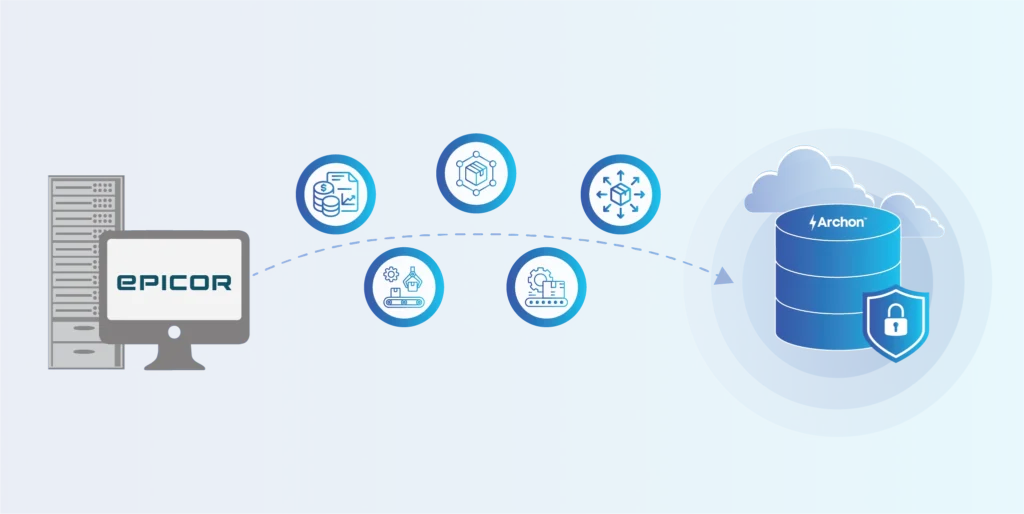
Archiving makes this seamless by analyzing your Epicor environment, extracting all structured data, UD fields, and file-based attachments, and preserving them in a secure, immutable, fully searchable archive.
This keeps your new ERP clean, fast, and cost-efficient while ensuring every Epicor record remains accessible for audits, finance, and operations. Whether upgrading, decommissioning, or migrating to a new ERP, archiving ensures accuracy, compliance, and a smooth migration.
Epicor migration is not just “moving to a new ERP.” You’re dealing with decades of production history, financial transactions, inventory movements, WIP activity, job logs, audit trails, and thousands of attachments that regulators and auditors expect you to produce instantly, sometimes going back 7, 10, or even 15+ years.
Epicor’s accumulated history of customizations, old logs, and unmanaged attachments creates unnecessary load in a new environment, increasing complexity, cost, and performance risk. When you try to load everything into a new ERP, performance drops, implementation becomes harder, and storage and licensing costs rise sharply. And this is where most Epicor environments fall apart.
Over the years, data has spread across versions, modules, UD tables, custom BOs, BPM logic, and external file shares in legacy Epicor.
The moment migration begins, hidden issues surface – fragmented tables, inconsistent schemas, broken relationships, orphaned attachments, and custom objects that no modern ERP can safely ingest. Worse, if even a fraction of this data is lost or corrupted, the compliance impact is immediate.
This is why a proper archival strategy transforms the entire process.
- Your new ERP stays clean, fast, and stable.
- Your full Epicor history remains searchable and audit-ready.
- You can retire legacy Epicor systems without losing context or compliance.
- And you eliminate the cost of maintaining bloated environments kept alive only for occasional lookups.
This guide walks you through the exact approach organizations follow when they upgrade Epicor, consolidate ERPs after M&A, or transition to SAP, Oracle, Sage, NetSuite, Dynamics 365, or Kinetic. You’ll learn what Epicor stores, why the data becomes so difficult to migrate, what must move forward, and what belongs in a compliant long-term archive.
Exploring Epicor ERP and the Real Reasons Businesses Transition Away from It
Epicor is a long-standing ERP platform used heavily across manufacturing, finance, distribution, automotive, supply chain, and production-driven industries. For years, it has served as the operational backbone for managing orders, inventory, jobs, scheduling, production workflows, and financial processes.
Because of this, Epicor often becomes tightly embedded in day-to-day processes, making it difficult to replace quickly.
Epicor’s strength has always been in handling complex manufacturing and supply-chain workflows, which is why many organizations have relied on it for decades.
Why You Eventually Move Away from Epicor?
Companies don’t move away from Epicor overnight. Epicor ERP sits at the heart of operations, finance, supply chain, and production, and replacing it is never a small decision.
When your organization decides to leave Epicor or even upgrade from one Epicor version to another, it’s usually because something in your business model, data architecture, or technology strategy has evolved so much that the legacy environment no longer fits.
Here are the common triggers that push enterprises to move away from the Epicor landscape.
- Vantage / Vista – Outdated schemas, limited metadata, inconsistent naming; difficult to extract reliably.
- Epicor 9 – Deep customizations, UD tables everywhere, complex BO structures, brittle integrations.
- Epicor 10 – Massive datasets, attachment-heavy environments, performance slowdowns, and high infra cost.
Key Drivers Behind Epicor Migration
1. System Consolidation After Mergers & Acquisitions (M&A)
A company often inherits multiple ERPs, including Epicor, when it undergoes an M&A. It is inefficient and costly to maintain them all. To simplify operations, organizations usually consolidate onto one modern ERP.
When that happens, Epicor becomes redundant and needs to be retired, while its historical data must still be preserved for audits, compliance, and business references.
2. Adoption of Modern Cloud-Based ERP Platforms
Many organizations are moving toward cloud-native suites like SAP S/4HANA, Oracle Cloud, Dynamics 365, or NetSuite. These platforms offer better scalability, performance, and integrations, making older Epicor versions (Vantage, Vista, Epicor 9/10) harder to justify.
3. High Licensing, Customization, and Infrastructure Costs
Legacy Epicor relies on on-prem servers, specialized admins, and large maintenance budgets. Between licensing, database upkeep, custom code, and hardware, total spend grows quickly, prompting companies to seek lighter, cloud-first alternatives.
4. Need for Modern Workflows and Better User Experiences
Contemporary Epicor ERPs provide intuitive interfaces, mobile access, automated workflows, and stronger collaboration tools. Legacy Epicor UI/UX falls short in flexibility and usability, making daily operations slower and more manual.
5. Growing Demand for Real-Time Analytics and Integrations
Modern enterprises depend on fast reporting, predictive analytics, and seamless integrations with CRM, MES, supply chain, and financial tools. Older Epicor versions, with rigid schemas and siloed tables, limit connectivity and insight generation.
6. Performance Decline Due to Data Growth
Years or decades of transactions, attachments, logs, and custom tables make Epicor slower and heavier. Performance drops, batch jobs take longer, and users experience delays during critical operations.
7. Compliance and Audit Expectations Become Harder to Meet
Regulators and auditors expect precise lineage, tamper-proof history, and quick retrieval, something outdated Epicor environments struggle to deliver without proper archival systems.
Read more: ADP Migration: How to Securely Migrate and Archive Your Payroll Data
A Technical Breakdown of Epicor’s Data Architecture
To migrate or archive Epicor data safely, you need a basic understanding of how the application stores and structures information. You don’t have to be a database engineer, but you do need to know where the data lives, how modules connect, and what sits outside the database.
1. Database Engines: SQL Server and Progress OpenEdge
Epicor environments run on either:
- Microsoft SQL Server (Epicor 9/10)
- Progress OpenEdge (Vantage, Vista, older Epicor builds)
Both store the same business data, but with different metadata structures, data types, and indexing. Extraction must be engine-aware to avoid field loss, truncation, or relational breaks.
2. Structured + Unstructured Data
Epicor stores:
- Structured data → tables for SO (Sales Order), PO (Purchase Order), Jobs, GL (General ledger), WIP, Inventory, etc.
- Unstructured data→ files like PDFs, images, drawings, scanned docs, CAD files stored in network folders or BLOBs.
Successful migration requires pulling both the tables and the attachments while preserving every link back to parent records.
3. Version Differences (Vantage, Vista, Epicor 9, Epicor 10)
Vantage, Vista, Epicor 9, and Epicor 10 each use different:
- Table layouts
- Naming conventions
- Key structures
- Module boundaries
Fields may change or move between versions, so mappings must be version specific. There is no universal schema alignment between Epicor generations.
4. User-Defined Fields and Custom Business Objects (UD + Custom BOs)
Most Epicor instances are heavily customized:
- UD fields
- UD tables
- Custom Business Objects (BOs)
- BPM logic
These elements often hold critical business-specific data but are undocumented. Automated discovery is required to ensure they aren’t missed during extraction.
5. Multi-Year Fiscal Periods and Multi-Company Design
Epicor environments often include:
- Multiple legal entities
- Multiple plants or warehouses
- Different fiscal calendars
Records must retain company, plant, and fiscal period metadata, so financial accuracy and traceability hold up during audits.
6. Interlinked Transactions Across Modules
Epicor modules rely on complex relational chains, such as:
- SO (Sales Order) → Release → Shipment → Invoice → GL (General ledger)
- Job → Operations → Materials → Labor → WIP → Costing
- PO (Purchase Order) → Receipt → AP Invoice → Payment → Inventory
These relationships use composite keys and system-generated IDs. Any archive or migration must preserve relational integrity from end to end.
The Essential Data Set Managed by ERP Systems
Epicor stores decades of operational, financial, and production history across multiple modules, custom layers, and attachment folders. Before any migration or application decommissioning, you must understand what data exists and where it lives.
| Data Pillar | What It Includes |
|---|---|
| Master Data | Customer & vendor profiles, item masters, BOMs, revision histories, warehouses, plants, locations, and effective-dated changes. |
| Inventory & Production | Lot or serial tracking, WIP transactions, job headers, job labor logs, material issues or returns, routing history, production reporting. |
| Financial & Accounting Records | GL entries, AP or AR transactions, invoices, credit memos, fiscal period closes, cash receipts, costing, allocations, and reconciliations. |
| Sales & Procurement Data | Sales orders, purchase orders, releases, shipments, receipts, pricing rules, quotes, customer or supplier transactions. |
| Documents & Attachments | PDFs, scanned forms, contracts, drawings, spreadsheets, and images are usually stored in external directories or embedded as BLOBs. |
| Customizations & UD Extensions | UD tables, extended fields, custom Business Objects (BOs), modified schemas, and company-specific workflows. |
| Logs, Metadata & Integrations | Audit trails, EDI logs, integration of metadata, user activity logs, timestamps, change history, and system-level configuration records. |
Understanding what Epicor stores is only half the picture is only; the bigger challenge is how the system structures it.
Primary Use Cases for Epicor Migration
Epicor transitions don’t look the same for every organization. In most cases, you fall into one of three scenarios, each with its own data, compliance, and operational implications. But all of them require one critical step: preserving your Epicor historical data safely and compliantly.

Case 1: End-of-Life Decommissioning for Epicor
You may be running Epicor Vantage, Vista, Epicor 9, or Epicor 10 purely for historical reference. These versions are outdated, difficult to maintain, and expensive to keep alive just for audit access.
Decommissioning becomes the logical next step when the system is obsolete or unsupported; infrastructure costs continue to rise, and specialized Epicor skills are difficult to find.
In this scenario, you retire the application completely but archive all historical data so that you can still retrieve any information an auditor or business user needs.
Case 2: Upgrading to Epicor Kinetic (Cloud)
If you’re modernizing your operations, moving to Epicor Kinetic is a natural upgrade path. But Kinetic is not designed to carry 20+ years of financial job history, inventory movements, attachments, or audit logs.
Importing everything into Epicor Kinetic causes slow performance, schema conflicts, broken customizations, and inflated licensing and storage costs. This is why most organizations archive historical data first, then migrate only clean, current, active data into Epicor Kinetic.
Case 3: Leaving Epicor for a Modern ERP
Many companies move away from Epicor entirely and adopt a cloud-native ERP that fits their growth strategy.
The most common destinations are:
- SAP S/4HANA
- Oracle Fusion Cloud ERP
- NetSuite
- Microsoft Dynamics 365
- Infor CloudSuite
- IFS Cloud
- Acumatica
Here’s why organizations choose specific alternatives and why Epicor’s history must be archived before making the switch.

⭐Epicor to SAP S/4HANA
Organizations moving to SAP S/4HANA typically do so when they need stronger global finance consolidation, advanced supply chain coordination, or standardized processes across multiple entities. Its architecture supports large-scale operations that may exceed the capabilities of older Epicor versions.
⭐ Epicor to Microsoft Dynamics 365
Dynamics 365 is often selected for its cloud-native design, integration with Microsoft tools, and balanced finance–operations functionality. Companies that want a modern interface and flexible deployment models often consider it during Epicor transitions.
⭐ Epicor to Oracle Fusion Cloud ERP
Oracle Fusion is generally chosen by enterprises that require robust financial controls, governance frameworks, and complex supply chain orchestration. It supports high-volume transactions and regulatory requirements that may be challenging for legacy Epicor environments.
⭐ Epicor to NetSuite
NetSuite is commonly adopted by mid-market organizations seeking a scalable cloud ERP with unified modules. It offers simplified upgrades and centralizes financial operations, which can reduce the fragmentation that develops over years of Epicor customizations.
⭐ Epicor to Infor Cloud Suite
Infor CloudSuite is used where industry-specific functionality is important, especially in manufacturing and distribution. Its prebuilt workflows often align closely with operational processes that previously required customization within Epicor.
⭐ Epicor to IFS Cloud
IFS Cloud is typically selected by asset-intensive industries such as utilities, aerospace, energy, and field services. It provides strong asset management, service lifecycle, and maintenance capabilities that may exceed what older Epicor builds offer.
⭐ Epicor to Acumatica
Acumatica is frequently adopted by SMB and mid-market manufacturers looking for a flexible, cloud-first ERP with simpler licensing and lower operational overhead. It provides modern usability without the heavier infrastructure requirements of older Epicor systems.
Before you switch ERPs, fix the one thing that breaks every migration: legacy data.
Start your Epicor archive and move forward clean.
Read also: 10 Best Data Archiving Solutions & Software: What to Look for in 2026
What to Migrate vs. What to Archive
Different Epicor modules hold different types of financial, inventory, production, and transactional records. Not all of it should move into your new ERP, but none of it can be lost.
Below is the correct, ERP-friendly decision matrix that helps you determine what goes into your new system and what belongs in a long-term archive.
Epicor Migration Decision Table:
| Epicor Data Element | Migrate / Archive | Why |
|---|---|---|
| Active Master Data (customers, vendors, items) | MIGRATE | Required for day-to-day operations in the target ERP |
| Inactive / Old Master Data (inactive customers, obsolete items) | ARCHIVE | Needed only for history, audits, and past references |
| Open Sales Orders / Purchase Orders | MIGRATE | Still operational; must be processed in the new ERP |
| Closed Orders (Sales, Purchase, Jobs) | ARCHIVE | High volume, rarely accessed, but required for audit + financial traceability |
| Current-Year Financials (GL, AP, AR) | MIGRATE | Required for period close, reporting, and reconciliation |
| Prior-Year Financials (1–3 years) | MIGRATE or ARCHIVE | Decision varies; some keep recent years in ERP, some archive for performance |
| Historical Financials (3–10+ years) | ARCHIVE | Compliance-driven; storing inside ERP impacts performance and cost |
| Inventory (Active stock, open WIP) | MIGRATE | Needed for production, costing, and planning in the new ERP |
| Historical Inventory (adjustments, past lots/serials) | ARCHIVE | Historical traceability; not needed in day-to-day operations |
| Production History (job logs, labor, material usage) | ARCHIVE | High-volume data; kept for compliance, costing, root-cause tracking |
| Attachments (PO PDFs, invoices, drawings, scanned docs) | ARCHIVE | Must be preserved with relationships; ERPs reject massive attachment loads |
| UD Tables / Custom BO Data | ARCHIVE | Often incompatible with new ERPs; needed only for legacy reference |
| Audit Logs & System Logs | ARCHIVE | Critical for compliance; no operational value in new ERP |
| Integrations & Interface Logs | ARCHIVE | Needed for traceability; not relevant for future processing. |
| Pricing History / Old contracts | ARCHIVE | Useful for dispute resolution; not needed in active ERP |
| Open Work Orders / Jobs | MIGRATE | Required for active production continuation |
| Closed Work Orders / Jobs | ARCHIVE | Heavy datasets; only needed for audit + costing history |
Migration moves you forward. Archiving makes sure nothing important gets lost on the way.
A Step-by-Step Epicor Migration & Archiving Process
1. Planning & Assessment
- Identify Epicor versions, modules, custom tables, and total data volume.
- Build a full data inventory and flag compliance-sensitive datasets for archiving.
2. Dependency Mapping
- Map relationships across SO, PO, Jobs, WIP, GL, etc.
- Track UD fields, custom BOs, and attachment folders.
- Capture all dependencies, so the archive preserves the complete business context.
3. Data Classification & Retention
- Separate active vs. historical data.
- Assign retention periods for each data group.
- Tag records with retention labels, legal holds, and entity-level metadata.
4. Data Extraction – SQL/OpenEdge
- Extract structured data, UD tables, custom BOs, logs, and all attachments.
- Preserve metadata, hash records for integrity, and maintain a full chain of custody.
5. Transformation & Validation
- Clean, normalize, and reconcile extracted data.
- Fix broken links, dedupe records, and standardize schemas.
- Enrich data with fiscal year, plant, BU, and GL context.
- Generate reconciliation reports for audit confidence.
6. Archive Loading & Indexing
- Load data into immutable archival storage.
- Build high-performance search indexes and apply access rules.
- Enforce WORM retention, encryption, and legal hold.
7. User Communication & Change Management
- Train teams on accessing archived Epicor data.
- Set RBAC permissions, enable MFA/SSO, and monitor audit logs.
8. Decommission Epicor (Final Step)
- Shut down Epicor servers, databases, and batch jobs; remove outdated licenses.
- The archive becomes the authoritative system of record for all historical Epicor data.
Now, let’s look at how to solve the challenges and processes on one integrated platform, and how you can do it.
Archon: A Proven Approach to Secure Epicor Migration & Archiving
Modernizing or retiring Epicor is never just a technical project; it’s a data preservation challenge. You’re dealing with decades of financial history, production records, audit trails, custom tables, and attachments that your teams still rely on.
That’s exactly where Archon helps. Archon provides a complete, purpose-built framework for handling Epicor historical data, whether you’re migrating to a modern ERP, upgrading versions, or retiring Epicor entirely.
Through Archon Analyzer, Archon ETL, and Archon Data Store (ADS), you can profile Epicor environments, extract and validate data safely, and preserve all history in a secure, searchable, compliance-ready archive.
Archon Analyzer™ – Analyze Your Epicor Environment Before Decommissioning
You can’t retire Epicor safely unless you know exactly what data exists, where it lives, and what needs to be preserved. Archon Analyzer™ gives you this clarity upfront.
What Archon Analyzer™ does:
- Scan every Epicor module (finance, jobs, inventory, sales, purchasing, WIP) to inventory all tables, fields, UD layers, and attachments.
- Identifies UD fields and custom BOs, which are often missed but contain critical business-specific data.
- Maps dependencies across modules, so you know how orders link to shipments, invoices, GL entries, job operations, serials, and costing records.
- Locates attachments stored outside the database (file shares, network paths) and highlights missing or broken links.
- Evaluates retention and compliance gaps, ensuring each dataset is classified correctly before extraction (active vs historical, financial period relevance, legal requirements).
Archon ETL™ – Centralized Extraction, Migration & Loading for Epicor Legacy Application
Epicor data extraction is complex, especially with UD fields, custom objects, mixed database engines, and years of attachments. Archon ETL is built specifically for this challenge.
What Archon ETL does:
- Extracts data from SQL Server and Progress OpenEdge with full schema preservation, no missing fields, truncated types, or corrupted records.
- Pulls all attachments (PDFs, drawings, invoices, images, CAD files) from file shares and re-links them accurately to their parent records.
- Handles UD tables, UD fields, and custom BOs, ensuring every piece of custom logic and extended data is captured.
- Normalizes complex Epicor structures, aligning inconsistent schemas across versions (Vantage, Vista, E9, E10).
- Maintains full chain-of-custody, logging each extraction step for audit defense.
- Deduplicates, validates, and reconciles data, so finance, operations, and audit teams have complete confidence.
- Generates reconciliation reports that show exactly what was extracted, what was validated, and what’s ready for archival.
Archon Data Store™ (ADS) – Secure Archival Repository for ERP Data
Once ETL is complete, Archon Data Store becomes the new ‘repository of reference’ for all historical Epicor data. It replaces the need to keep legacy Epicor alive.

1. Compliance-First Archive Management
✅ Policy-driven retention aligned with SOX, IRS, SEC, FINRA, FASB, ISO, GDPR, and manufacturing compliance.
✅ Automated retention schedules by entity, region, module, or document type.
✅ Legal enforcement for litigation, audits, or investigations.
2. Query-Ready Historical Access
Epicor’s history remains instantly searchable, without the ERP.
✅ Metadata-indexed retrieval for sub-second lookups.
✅ Search across decades of data using financial period, customer/vendor ID, invoice number, job, WIP batch, part, plant, PO, SO, or GL code.
✅ Relationship-based navigation showing the full chain:
Order → Shipment → Invoice → GL → Attachments → Audit Trail
3. Enterprise-Grade Security & Access Control
✅ Every file, record, and transaction is stamped with immutable lineage metadata, ensuring complete traceability.
✅ Access is governed by fine-grained role-based permissions mapped to Epicor for job functions (Finance, Supply Chain, Production, QA).
✅ All access events, failed logins, unusual queries, and export attempts are monitored in real time, with automated alerts for suspicious activity.
4. Cost-Optimized Storage Architecture
✅ Removes redundant records and compresses attachments, PDFs, images, and logs, reducing storage consumption by 40–70%.
✅ Archon Data Store centralizes all Epicor historical data, removing the need to maintain multiple backups or aging servers.
✅ Deploy cloud, on-prem, or hybrid; ADS adapts to your infrastructure and keeps costs predictable as data grows.
Moving away from Epicor or upgrading Kinetic?
Future-Proof Your Epicor Data with Archon Data Store (ADS)
Modernizing, upgrading, or leaving Epicor shouldn’t come with fear of losing decades of operational history. Your data still matters for audits, compliance, customer inquiries, financial accuracy, and long-term business continuity. What you don’t need is the legacy application slowing you down or costing you year after year.
Archon Data Store (ADS) gives you a safer, cleaner, and future-ready way to move forward. It preserves every Epicor record in a secure, immutable, and fully searchable archive that works independently of your ERP.
Planning an Epicor Migration? Let’s Secure Your Historical Data First. Schedule a 30-minute session with our data migration experts.


